A Practical Guide to Building a Better Gadget Setup
In an age where new devices emerge almost daily, it’s easy to fall into the trap of constant acquisition. We buy the latest smartphone, a new smart speaker, or a more powerful laptop, often without a clear strategy for how these pieces fit into our lives. The result can be a collection of disparate gadgets that, while individually capable, don’t always work together seamlessly. This guide isn’t about telling you what to buy; it’s about helping you think critically about your existing and future technology to create a cohesive, efficient, and truly personalized gadget setup.
Building a better gadget setup is less about the gadgets themselves and more about the ecosystem they create. It’s about optimizing for convenience, productivity, and enjoyment, ensuring that your technology serves you, rather than the other way around. Let’s explore how to move beyond mere accumulation to thoughtful integration.
Understanding Your Digital Ecosystem
Before you can improve your setup, you need to understand it. Take a moment to inventory the devices you use daily, weekly, and even occasionally. Think about their primary functions, how they interact (or fail to interact), and where they fit into your routines. This isn’t just about physical devices; it also includes the services and software that power them.
Mapping Your Daily Tech Interactions
Consider a typical day. What’s the first gadget you interact with? Your alarm clock on your phone? A smart display? How do you consume news, communicate with others, or manage your schedule? Trace these interactions. For example, you might wake up to your phone, check emails on your laptop, listen to music on a smart speaker, and wind down with a tablet. Each step reveals a potential point of friction or an opportunity for improvement.
Ask yourself:
- Which devices do I use most frequently?
- Which tasks are unnecessarily complicated by my current setup?
- Are there redundancies? (e.g., multiple devices performing the same core function)
- Where do I experience frustration with connectivity, power, or usability?
This self-assessment is crucial. It shifts the focus from what’s new and shiny to what genuinely enhances your daily experience.
The Core Principles of a Better Setup
With a clear understanding of your current ecosystem, we can establish some guiding principles for improvement. These aren’t rigid rules, but rather a framework for making informed decisions.
Purpose-Driven Acquisition
Every new gadget should serve a clear purpose. Instead of buying a device because it’s popular, ask: What problem does this solve for me? How does it integrate with my existing tools? Will it genuinely improve my workflow, entertainment, or well-being? If the answer isn’t clear, it might be a distraction rather than an enhancement.
Seamless Integration
The ideal gadget setup is one where devices communicate effortlessly. This means prioritizing compatibility, whether through shared operating systems, universal standards (like USB-C or Bluetooth), or robust smart home platforms. When devices work together, the whole becomes greater than the sum of its parts, creating a fluid and intuitive experience.
Simplicity and Minimalism
Sometimes, less is more. A cluttered setup, whether physically or digitally, can be a source of stress and inefficiency. Consider decluttering your physical space by consolidating functions (e.g., a single charging station for multiple devices) and streamlining your digital life by removing unused apps or services. A minimalist approach often leads to a more focused and enjoyable interaction with technology.
Ergonomics and Well-being
Your gadget setup should support your health and comfort. This includes everything from the height of your monitor to the type of keyboard and mouse you use. Good ergonomics can prevent strain and fatigue, making your interactions with technology more sustainable and pleasant. Don’t overlook the impact of lighting, sound, and even air quality in your tech-heavy spaces.
Powering Your World – The Unsung Hero
One of the most overlooked aspects of a functional gadget setup is power management. A tangle of cables and a shortage of outlets can quickly undermine even the most thoughtfully chosen devices. Investing in smart power solutions is foundational.
The Importance of Power Management
Reliable power isn’t just about keeping your devices charged; it’s about protecting them from surges, organizing your space, and ensuring everything is ready when you need it. A well-managed power setup reduces clutter and enhances safety.
Smart Power Strips and Surge Protectors
Beyond basic surge protection, smart power strips offer individual outlet control, scheduling, and energy monitoring via an app. This allows you to power down dormant devices to save energy or ensure certain gadgets are only on when needed. Look for strips with a high Joule rating for superior protection.
Charging Hubs and Wireless Charging Solutions
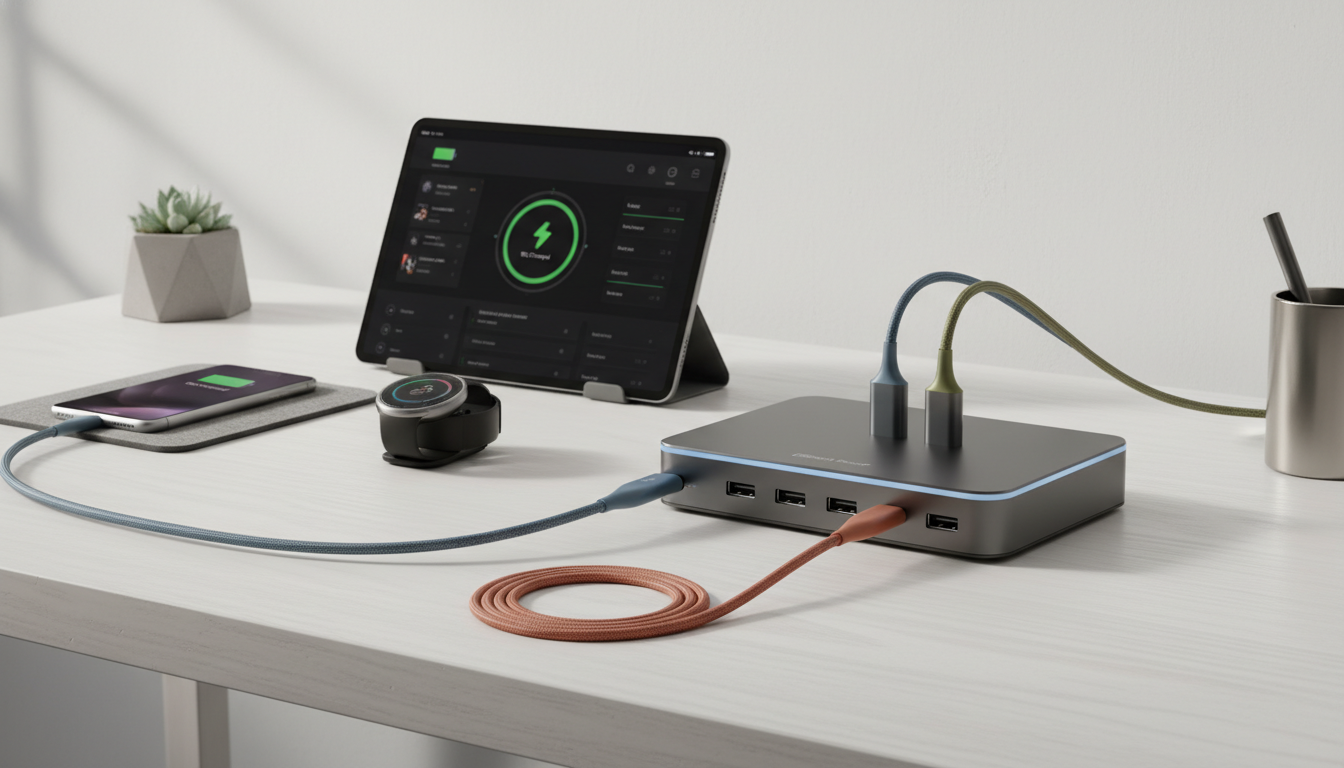
Consolidate your charging needs with multi-port USB charging hubs. These can significantly reduce cable clutter by providing dedicated ports for your phone, tablet, smartwatch, and other accessories from a single wall outlet. Wireless charging pads, especially those capable of charging multiple devices simultaneously, offer unparalleled convenience for devices that support it.
Portable Power Banks for On-the-Go
For mobile setups, a high-capacity power bank is indispensable. Choose one with sufficient output (e.g., USB-C Power Delivery for laptops) and enough capacity to recharge your primary devices multiple times. This ensures your essential gadgets remain powered throughout your day, no matter where you are.
Here are some essential power accessories to consider:
- High-Joule surge protector with ample outlets
- Multi-port USB-C PD charging hub
- Wireless charging pad (for compatible devices)
- Portable power bank with fast charging capabilities
- Cable ties or Velcro straps for organization
Connectivity – Bridging the Gaps
In a world of interconnected devices, a robust and reliable network is paramount. Poor Wi-Fi, slow data transfer, or incompatible connectors can be major bottlenecks in your setup.
Reliable Wi-Fi: Mesh Systems vs. Single Routers
For most homes, a single router struggles to provide consistent coverage, especially in larger spaces or homes with multiple floors. Mesh Wi-Fi systems use multiple access points to create a unified, strong network throughout your entire home, eliminating dead zones and ensuring stable connections for all your devices. If you have many smart home devices, a mesh system can handle the load more efficiently.
Ethernet Where It Matters
While Wi-Fi is convenient, a wired Ethernet connection still offers superior speed and stability for critical devices like desktop computers, gaming consoles, and smart TVs. If possible, run Ethernet cables to these stationary devices to free up Wi-Fi bandwidth for your mobile gadgets and ensure a lag-free experience for demanding tasks.
Bluetooth 5.0 and Beyond
Bluetooth has evolved significantly. Bluetooth 5.0 offers greater range, speed, and bandwidth compared to older versions, making it ideal for connecting wireless headphones, keyboards, mice, and smart home sensors. When choosing new peripherals, prioritize devices with the latest Bluetooth standards for the best performance and reliability.
USB-C: The Universal Connector
USB-C is rapidly becoming the standard for power, data, and video transfer across a wide range of devices, from smartphones and tablets to laptops and monitors. Embracing USB-C can significantly simplify your cable situation, allowing you to use a single cable and charger for multiple gadgets. Look for devices and accessories that support USB-C Power Delivery (PD) for fast charging and versatility.
The Workspace – Where Productivity Meets Comfort
For many, the desk is the epicenter of their gadget setup. Optimizing this space for both productivity and comfort is key to a better overall experience.
Ergonomic Considerations: Monitor Height, Keyboard, Mouse
Good ergonomics are non-negotiable for anyone spending significant time at a desk. Ensure your monitor is at eye level, preventing neck strain. Invest in an ergonomic keyboard and mouse that fit your hand comfortably and promote a natural posture. Adjustable standing desks can also be a game-changer, allowing you to alternate between sitting and standing throughout the day.
Cable Management Strategies
A messy desk with tangled cables is not only unsightly but can also be a source of frustration and even a safety hazard. Implement cable management solutions such as cable sleeves, ties, clips, and under-desk trays. Route cables neatly along the back of your desk or through grommets to keep them out of sight and organized. This creates a cleaner, more focused environment.
Lighting and Sound
Proper lighting can reduce eye strain and improve focus. Consider a desk lamp with adjustable brightness and color temperature. For sound, high-quality headphones or desktop speakers can enhance your work or entertainment experience without disturbing others. Noise-canceling headphones are particularly useful for minimizing distractions in busy environments.
Smart Home Integration for the Office
Extend your smart home capabilities to your workspace. Smart plugs can control desk lamps or fans, while smart thermostats can maintain an ideal working temperature. Voice assistants can help manage your calendar, set reminders, or even play ambient music, all without breaking your workflow.
Here’s a checklist for optimizing your workspace:
- Monitor at eye level (use a stand if necessary).
- Ergonomic keyboard and mouse.
- Chair with good lumbar support.
- Cable management solutions implemented.
- Adequate, adjustable lighting.
- High-quality audio solution (headphones or speakers).
- Consider a standing desk.
- Integrate smart home devices for convenience.
- Keep essential items within easy reach.
- Regularly declutter and clean the space.
Mobile Mastery – Optimizing Your On-the-Go Tech
Your mobile setup is just as important as your home base. It needs to be lightweight, efficient, and capable of handling your tasks while you’re away from your primary workspace.
Choosing the Right Phone and Accessories
Your smartphone is likely your most used gadget. Choose one that fits your needs in terms of camera quality, battery life, and ecosystem compatibility. Complement it with essential accessories like a durable case, screen protector, and a car mount if you drive frequently. Consider a compact, fast-charging wall adapter for travel.
Portable Keyboards and Mice
If you frequently work on a tablet or a compact laptop, a portable Bluetooth keyboard and mouse can significantly boost your productivity. Look for lightweight, foldable designs that are easy to carry and offer a comfortable typing experience. Some keyboards even double as tablet stands.
Headphones: Noise-Canceling vs. Open-Back
For mobile use, noise-canceling headphones are often the best choice, allowing you to focus in noisy environments like cafes, public transport, or open-plan offices. If you prioritize sound quality and don’t need isolation, open-back headphones offer a more natural soundstage but are less suitable for public use.
Cloud Synchronization and Data Backup
Ensure all your essential data – documents, photos, contacts – is synchronized across your devices via cloud services. This not only provides a seamless experience when switching between gadgets but also acts as a crucial backup in case a device is lost or damaged. Regularly verify your backup routines are functioning correctly.

Entertainment and Leisure – Beyond the Basics
Technology plays a huge role in our downtime. A well-curated entertainment setup can transform your leisure activities, from movie nights to gaming sessions.
Smart TVs and Streaming Devices
Modern smart TVs offer a wealth of features, but a dedicated streaming device (like a media player or stick) often provides a snappier interface, more app options, and better long-term software support. Consider consolidating your streaming services and ensuring your devices support the latest video and audio standards (e.g., 4K HDR, Dolby Atmos).
Audio Setups: Soundbars, Home Theater, Multi-Room Audio
Good audio can dramatically enhance your entertainment. A soundbar is an excellent upgrade over built-in TV speakers, offering clearer dialogue and richer sound. For a more immersive experience, a full home theater system with surround sound speakers is ideal. Multi-room audio systems allow you to play music throughout your home, controlled from a single device, creating a unified soundscape.
Gaming Peripherals
For gamers, the right peripherals can make all the difference. Invest in a responsive gaming monitor with a high refresh rate, a comfortable gaming headset with clear communication, and a precise gaming mouse and keyboard. Consider a dedicated gaming controller if you prefer console-style gameplay on your PC or mobile device.
Smart Home Devices for Ambiance (Lighting, Climate)
Enhance your entertainment space with smart lighting that can change colors and brightness to match the mood of a movie or game. Smart thermostats can maintain a comfortable temperature, and smart blinds can block out glare, all controllable with a voice command or a tap on your phone.
Security and Maintenance – Protecting Your Investment
A great gadget setup isn’t just about functionality; it’s also about longevity and security. Regular maintenance and proactive security measures are vital.
Software Updates and Patches
Always keep your device operating systems, apps, and firmware updated. Updates often include critical security patches that protect against vulnerabilities, as well as performance improvements and new features. Enable automatic updates where possible, but also periodically check manually.
Physical Security: Locks, Tracking
For valuable devices like laptops and tablets, consider physical security measures. Cable locks can deter opportunistic theft in public spaces. For all your mobile devices, ensure you have remote tracking and wiping capabilities enabled (e.g., Find My iPhone/Android) in case of loss or theft.
Data Backup Routines
Beyond cloud sync, establish a robust local backup strategy for critical data. External hard drives, Network Attached Storage (NAS) devices, or a combination of both can provide an additional layer of protection against data loss due to hardware failure, accidental deletion, or cyber-attacks. Test your backups periodically to ensure they are working correctly.
Cleaning and Physical Maintenance
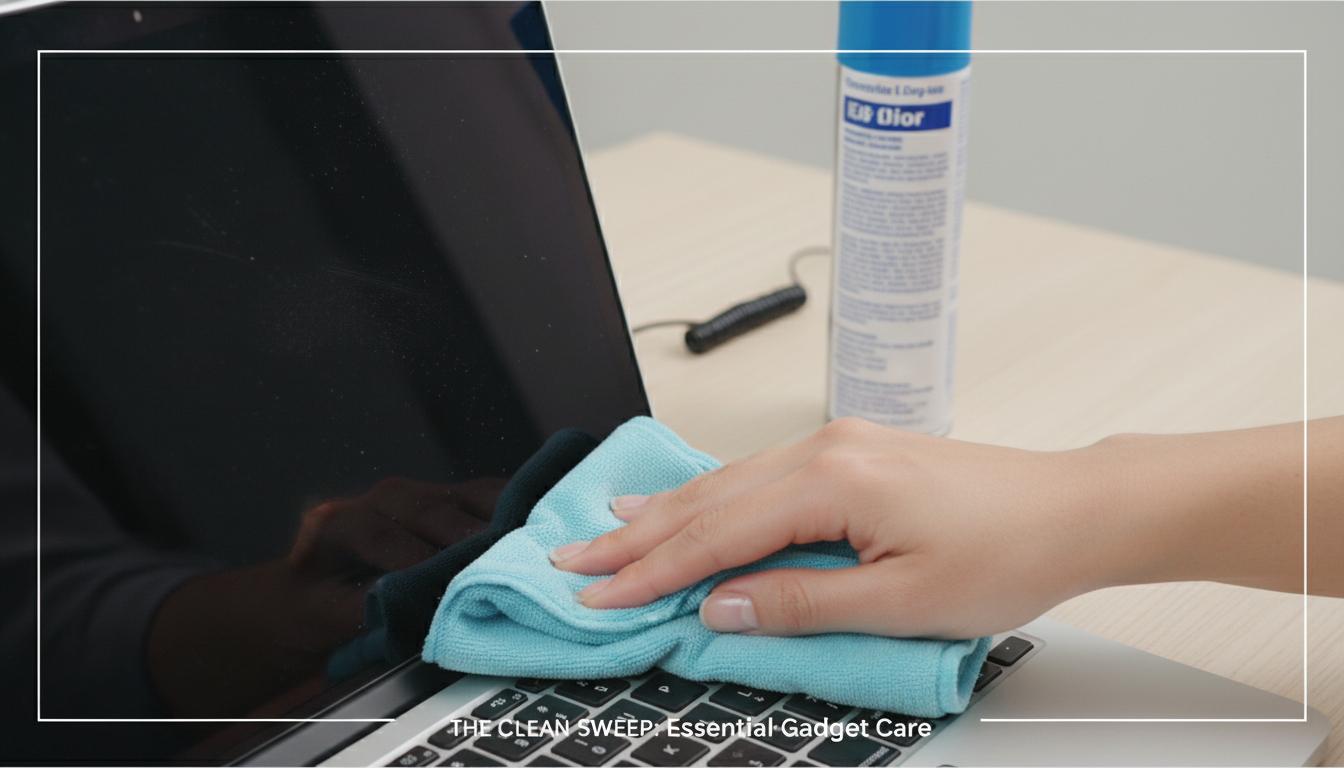
Dust, grime, and fingerprints can degrade the performance and appearance of your gadgets. Regularly clean screens with microfiber cloths and appropriate cleaning solutions. Use compressed air to clear dust from ports and vents. Keep cables tidy to prevent damage and ensure proper airflow around devices.
Here are some routine maintenance tasks:
- Check for and install software/firmware updates.
- Back up critical data to an external drive or cloud service.
- Clean screens, keyboards, and device surfaces.
- Clear dust from vents and ports with compressed air.
- Review app permissions and remove unused applications.
- Check cable connections for wear and tear.
- Update antivirus definitions and run scans.
Conclusion
Building a better gadget setup is an ongoing journey, not a destination. Technology evolves, and so do our needs. The key is to approach your setup with intention, focusing on how each device and service contributes to a more integrated, efficient, and enjoyable digital life. By applying these principles – understanding your ecosystem, prioritizing integration, focusing on purpose, and maintaining your investment – you can move beyond a collection of gadgets to a truly harmonious and powerful personal technology environment. Take the time to assess, refine, and personalize your setup, and you’ll discover a newfound appreciation for how technology can genuinely enhance your world.