








Introduction: The Challenge of Digital Research
In today’s information-rich environment, conducting research often feels less like a focused exploration and more like navigating a chaotic sea of tabs, links, and half-remembered insights. The sheer volume of data available online, coupled with the myriad tools and distractions, can quickly transform a productive research session into an overwhelming exercise in digital clutter. This friction—the constant switching, searching for lost information, and battling distractions—significantly impedes our ability to synthesize knowledge effectively and draw meaningful conclusions.
A low-friction browser research workflow is not merely about speed; it’s about creating a seamless, intuitive environment where information flows effortlessly from discovery to integration. It’s about minimizing the cognitive load associated with managing digital assets, allowing your mental energy to be directed towards analysis and understanding, rather than organization. By systematically optimizing how we interact with our browsers, capture information, and structure our findings, we can transform a potentially frustrating process into a highly efficient and even enjoyable one. This guide will walk you through practical strategies to achieve just that, ensuring your research efforts are both productive and sustainable.
Foundation: Choosing the Right Browser and Extensions
The cornerstone of any effective digital research workflow is the browser itself. While personal preference plays a significant role, consider browsers that offer robust synchronization across devices, strong privacy features, and a healthy ecosystem of extensions. Popular choices like Google Chrome, Mozilla Firefox, Microsoft Edge, and Brave each bring unique strengths, from Chrome’s extensive extension library to Firefox’s commitment to open standards and Edge’s integrated productivity tools. Experiment to find one that aligns with your core needs for speed, security, and customization.
Beyond the browser, a carefully curated selection of extensions can dramatically enhance your research capabilities. Resist the urge to install every promising tool; instead, focus on those that address specific pain points in your workflow. Essential categories include ‘read-it-later’ services like Pocket or Instapaper for saving articles, web clippers such as Evernote Web Clipper or Notion Web Clipper for capturing specific content, and tab managers like OneTab or Workona for organizing open sessions. An effective ad blocker, such as uBlock Origin, is also crucial for minimizing distractions and improving page load times. Regularly review your extensions to ensure they remain relevant and performant, removing any that no longer serve a clear purpose.
- **Read-it-later Services:** Pocket, Instapaper
- **Web Clippers:** Evernote Web Clipper, Notion Web Clipper, OneNote Web Clipper
- **Tab Managers:** OneTab, Workona, Toby
- **Ad Blockers:** uBlock Origin, AdBlock Plus
- **Annotation Tools:** Hypothesis, Liner
Organizing Your Digital Workspace: Tabs and Windows
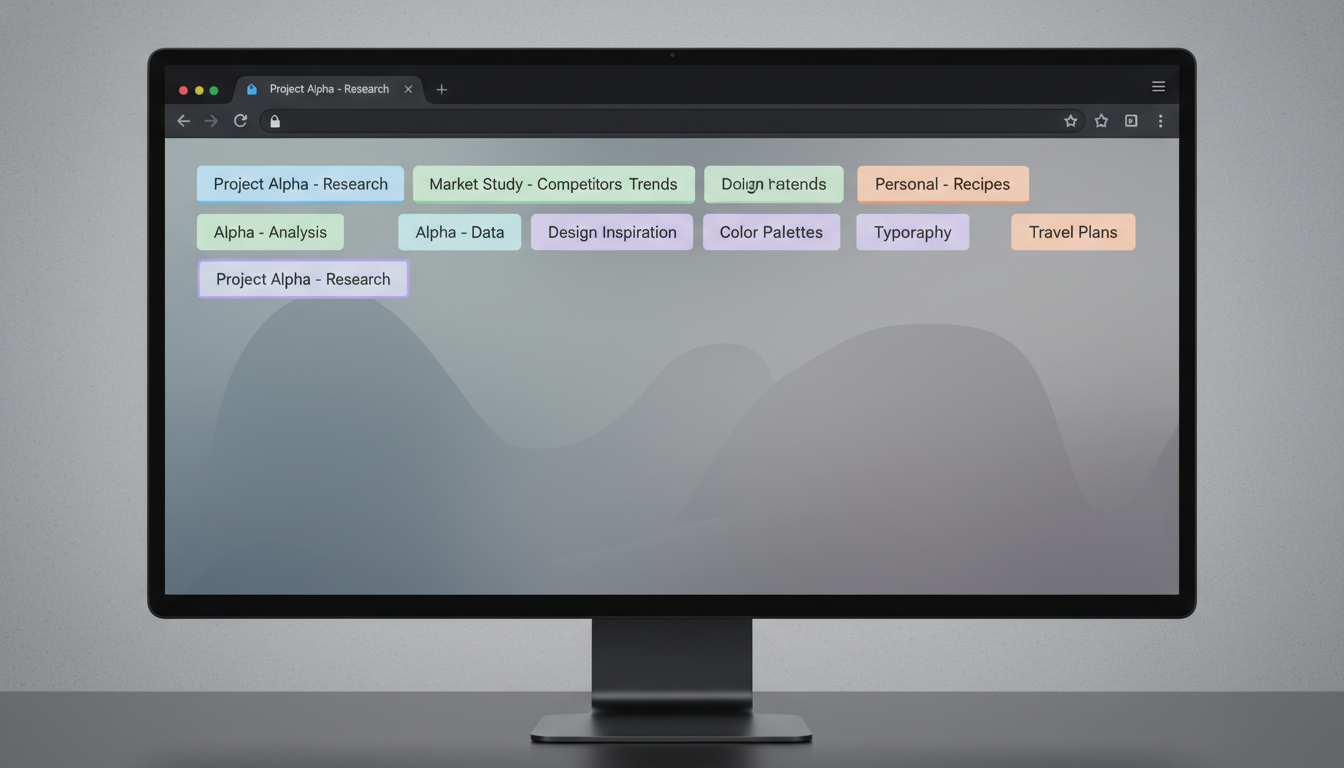
One of the most common pitfalls in digital research is tab overload. A cluttered browser window with dozens of open tabs can quickly become a source of anxiety and inefficiency. Effective tab management is paramount. Modern browsers offer features like tab grouping (e.g., Chrome’s Tab Groups, Edge’s Vertical Tabs) that allow you to categorize and collapse related tabs, transforming a chaotic sprawl into an organized structure. Consider adopting a ‘one window per project’ approach, using virtual desktops or separate browser profiles to compartmentalize your research topics. This physical separation helps maintain focus and prevents cross-contamination of information.
- **Tab Grouping:** Utilize native browser features to categorize and collapse related tabs.
- **Vertical Tabs:** Explore browsers or extensions that offer vertical tab layouts for better overview.
- **Dedicated Tab Managers:** Employ tools like Workona or Toby to save and switch between entire research sessions.
- **Virtual Desktops/Workspaces:** Use operating system features to separate browser windows by project.
- **One Window Per Project:** Adopt a disciplined approach of keeping all tabs for a single project within one browser window.
Beyond native browser features, dedicated tab management extensions can provide even more sophisticated control. Tools like Workona allow you to save entire sessions, switch between workspaces, and suspend inactive tabs to conserve system resources. Regularly review your open tabs: close those that are no longer needed, save important ones to a ‘read-it-later’ service, or bookmark them for future reference. The goal is to keep your active workspace lean and focused, ensuring that every open tab serves an immediate purpose. This disciplined approach not only improves performance but also reduces cognitive overhead, making it easier to locate information when you need it most.
Efficient Information Capture: Note-Taking and Annotation
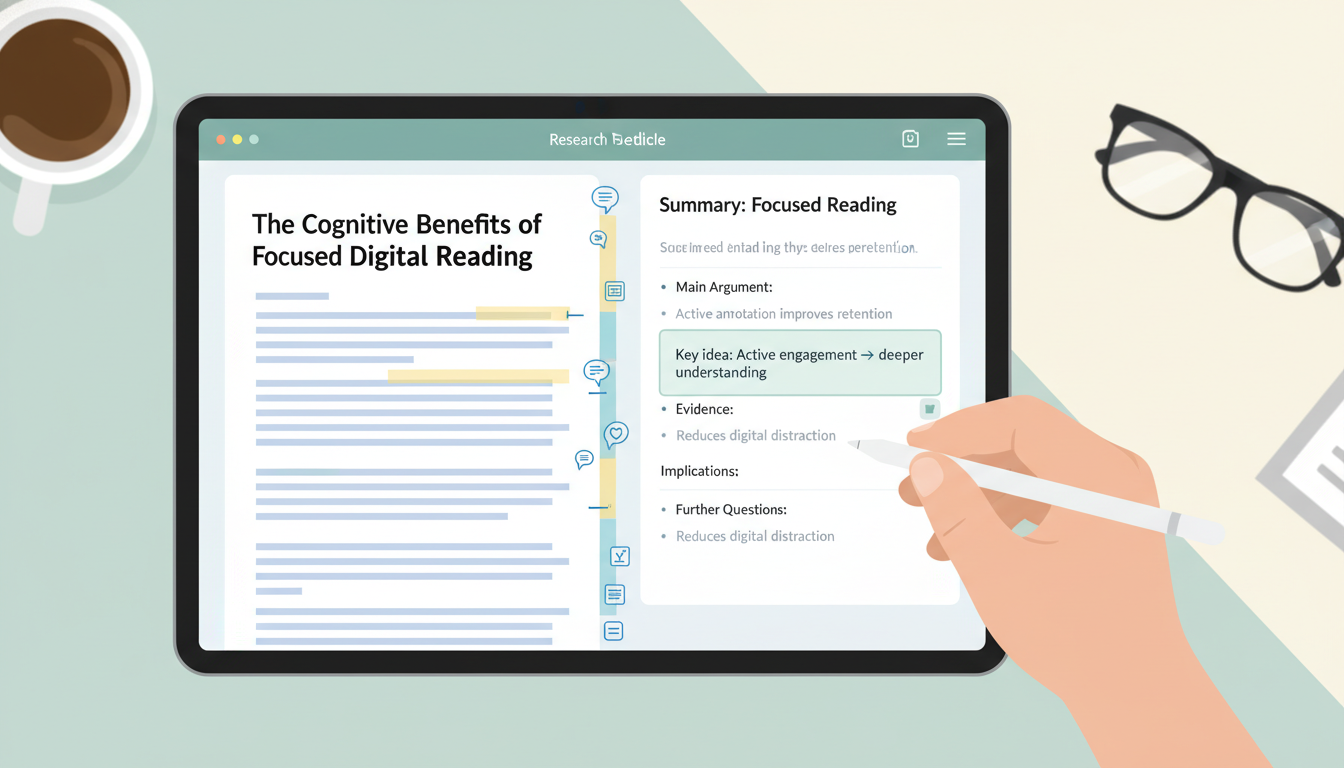
Discovering valuable information is only half the battle; effectively capturing and retaining it is where true productivity lies. Relying solely on memory or scattered highlights is a recipe for lost insights. Integrate robust note-taking and annotation tools directly into your browser workflow. Many browsers now offer native PDF annotation capabilities, allowing you to highlight and add comments directly to research papers. For web pages, extensions like Hypothesis or Liner enable you to annotate text, add notes, and even collaborate on research with others, saving your insights directly on the page itself.
For more comprehensive note-taking, integrate a dedicated knowledge management system. Tools like Obsidian, Notion, Roam Research, Evernote, or OneNote offer powerful ways to capture, organize, and link your research notes. Many of these platforms provide browser extensions that allow for quick clipping of articles, screenshots, or selected text directly into your database. Develop a consistent method for summarizing key points in your own words, rather than simply copying and pasting. This active engagement with the material not only aids retention but also facilitates the synthesis of information, transforming raw data into actionable knowledge. The quicker and more seamlessly you can move from discovery to capture, the less friction you’ll experience in your research process.
Structuring Your Findings: Bookmarking and Archiving
Traditional browser bookmarks, while useful, often fall short for serious research. A simple list of links quickly becomes unwieldy and lacks context. To truly structure your findings, move beyond basic bookmarking. Utilize a system that allows for robust tagging, categorization, and even full-text search of saved pages. Dedicated bookmark managers like Raindrop.io or Pinboard offer advanced features, enabling you to organize links by project, topic, or status, and add detailed notes or descriptions. This rich metadata makes it far easier to retrieve specific resources months or even years later.
Furthermore, consider the impermanence of the web. Pages can disappear, links can break, and content can change. For critical research, archiving is essential. Services like Webrecorder.io or Perma.cc allow you to create immutable copies of web pages, ensuring that the information you relied upon remains accessible, even if the original source vanishes. For less critical but still important articles, ‘read-it-later’ services can serve as a temporary archive, allowing you to revisit content offline and at your convenience. Develop a consistent naming convention for your bookmarks and archived pages to ensure uniformity and ease of retrieval, transforming your collection of links into a well-organized personal library.
Automating Repetitive Tasks: Shortcuts and Customization
Efficiency in research is often found in the small, repetitive actions that accumulate over time. Mastering browser keyboard shortcuts can dramatically reduce the time spent navigating and interacting with web pages. Learn shortcuts for opening and closing tabs, switching between them, searching within a page, and accessing browser history. Many browsers also allow for custom search engines, enabling you to quickly search specific websites (e.g., typing ‘wiki [term]’ to search Wikipedia directly from your address bar) or perform advanced queries with minimal effort.
Text expanders, such as TextExpander or aText, can be invaluable for researchers who frequently type common phrases, citations, or templates. By assigning short abbreviations to longer blocks of text, you can save countless keystrokes and ensure consistency in your notes and reports. Consider using browser profiles to create distinct environments for different research projects or contexts. This allows you to maintain separate sets of bookmarks, extensions, and browsing history, preventing clutter and ensuring that your tools are always tailored to the task at hand. Leveraging these automation and customization features transforms your browser from a generic tool into a highly personalized research powerhouse, minimizing manual effort and maximizing focus.
Maintaining Focus: Minimizing Distractions
Even with the most organized workflow, distractions remain a significant threat to productive research. The internet, by its very nature, is designed to capture and hold our attention, often pulling us away from our primary tasks. Proactively minimizing these distractions is crucial for maintaining deep focus. Start by ensuring your ad blocker is robust and up-to-date; intrusive advertisements are not only annoying but also consume valuable cognitive resources. Utilize your browser’s ‘Reader Mode’ (often found as a small icon in the address bar) to strip away extraneous elements from articles, presenting a clean, text-focused view that enhances readability and reduces visual clutter.
For more aggressive distraction control, consider website blockers like StayFocusd or LeechBlock NG, which allow you to restrict access to time-wasting sites during designated research periods. Integrating techniques like the Pomodoro Technique, where you work in focused bursts followed by short breaks, can also be highly effective. Some browser extensions even offer built-in Pomodoro timers. Finally, cultivate a dedicated research environment, both physically and digitally. Close unnecessary applications, silence notifications, and communicate your need for uninterrupted time. By consciously creating boundaries and employing these tools, you can safeguard your focus and ensure your research sessions are truly productive.

Review and Refine: Iterating Your Workflow
Building a low-friction research workflow is not a one-time setup; it’s an ongoing process of iteration and refinement. The digital landscape, your research needs, and the tools available are constantly evolving. Regularly dedicate time to review your current workflow, identify bottlenecks, and experiment with new approaches. This reflective practice is essential for continuous improvement and ensures your system remains optimized for your current demands. Ask yourself: Where do I frequently get stuck? What tasks feel cumbersome? Are there new tools that could simplify a step?
A periodic audit of your extensions, bookmarks, and note-taking system can reveal areas for improvement. Perhaps a certain extension is no longer serving its purpose, or your tagging system has become inconsistent. Be open to trying new methods and discarding old ones that no longer work. The goal is not perfection, but continuous optimization. By embracing this iterative mindset, you ensure your research workflow remains agile, efficient, and perfectly tailored to support your intellectual endeavors. Use the following checklist to guide your refinement process:
- **Audit Extensions:** Review all installed browser extensions. Are they all actively used and beneficial? Remove any that are redundant or unused.
- **Clean Bookmarks/Archives:** Go through your saved links and notes. Delete outdated information, consolidate duplicates, and refine your tagging system.
- **Test New Tools:** Research and experiment with one new browser feature or extension that addresses a current pain point.
- **Evaluate Tab Management:** Assess how effectively you’re managing open tabs. Are tab groups being utilized? Is your ‘one window per project’ approach consistent?
- **Refine Note-Taking Process:** Review your note-taking habits. Are you summarizing effectively? Is information easily retrievable?
- **Check for Distractions:** Identify common digital distractions during research. Implement or adjust website blockers and focus techniques accordingly.
- **Seek Feedback (Optional):** If collaborating, discuss workflow efficiencies with colleagues to gain new perspectives.
- **Schedule Next Review:** Set a reminder for your next workflow audit to maintain momentum.