







A Practical Guide to Building a Weekly Digital Cleanup Routine
Digital clutter is a modern epidemic. Our screens are battlegrounds of open tabs, our download folders resemble digital landfills, and our inboxes overflow with unread messages. This constant digital noise isn’t just an annoyance; it’s a drain on our mental energy, a silent saboteur of productivity, and a source of low-level stress. We often tell ourselves we’ll get to it "someday," but "someday" rarely arrives, and the pile only grows. The irony is that while we strive for physical tidiness, our digital lives often remain in a state of perpetual chaos. This guide isn’t about achieving digital perfection overnight, nor is it about turning digital organization into another full-time project. Instead, it offers a practical, sustainable system for building a weekly digital cleanup routine. By dedicating a small, consistent amount of time each week, you can reclaim your digital space, reduce cognitive load, and create a more focused, efficient, and peaceful online experience. Think of it as a digital reset button, pressed regularly to keep your systems running smoothly and your mind clear.
Why a Weekly Digital Cleanup?
The benefits of a tidy physical space are well-documented: reduced stress, improved focus, and a sense of calm. The same principles apply to our digital environments. A cluttered digital workspace can lead to:
- Increased Cognitive Load: Each open tab, unread email, or disorganized file represents a tiny decision waiting to be made, collectively overwhelming your mental bandwidth.
- Reduced Productivity: Wasting time searching for files, reopening lost tabs, or sifting through irrelevant notifications directly impacts your efficiency.
- Missed Opportunities: Important emails get buried, crucial documents are misplaced, and deadlines are forgotten amidst the digital noise.
- Enhanced Stress and Anxiety: The sheer volume of digital "stuff" can create a subconscious feeling of being overwhelmed and out of control.
- Slower Device Performance: While not always the primary driver, excessive files and background processes can indeed slow down your computer and mobile devices.
A weekly cleanup isn’t just about aesthetics; it’s a strategic investment in your mental well-being and operational effectiveness. It’s about creating an environment where your digital tools serve you, rather than you serving them.
The Core Philosophy: Small, Consistent Actions
The biggest mistake people make when tackling digital clutter is attempting a massive, one-time overhaul. This approach is often unsustainable and leads to burnout. Our philosophy here is different: small, consistent actions performed regularly. Imagine trying to clean an entire house in one day after months of neglect versus spending 15-30 minutes each week tidying up. The latter is far more manageable and effective in the long run.
This weekly routine is designed to be a quick sweep, not a deep dive. It’s about preventing accumulation, not just reacting to it. By integrating these small tasks into your schedule, you’ll find that digital maintenance becomes less of a chore and more of a natural part of your workflow. The goal is progress, not perfection. Don’t aim to clear every single item; aim to make noticeable progress and prevent the situation from spiraling out of control. This mindset shift is crucial for long-term success.
Setting Up Your Digital Cleanup Toolkit
Before diving into the actual cleanup, it’s helpful to have a few basic tools or strategies in place. These aren’t complex software suites, but rather simple habits and organizational principles.
Establish a "Holding Pen" for Files
Create a temporary folder on your desktop or in your cloud storage called "To Process" or "Inbox." When you download something or quickly save a file, drop it here. During your weekly cleanup, you’ll process this folder. This prevents files from scattering across your desktop or getting lost in the main Downloads folder.
Utilize Browser Tab Management Tools
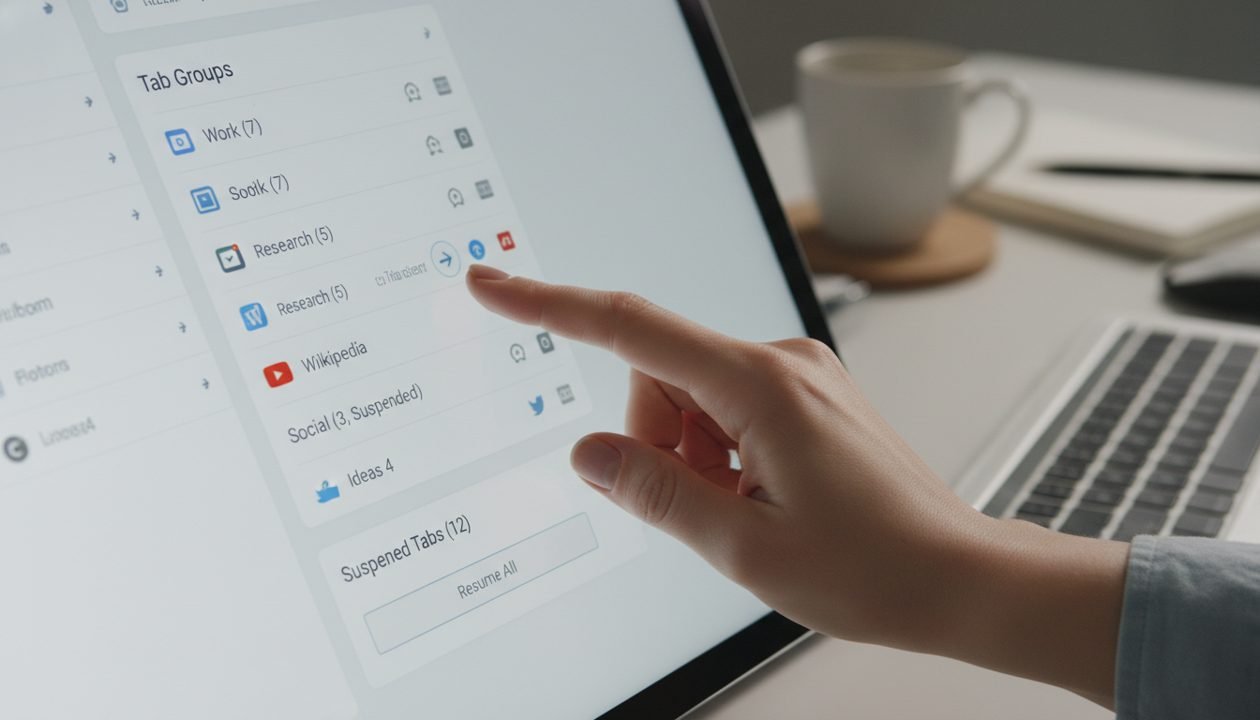
Modern browsers offer various extensions for tab management. Tools like OneTab, The Great Suspender (or similar alternatives), or even just native tab grouping features can be incredibly helpful. They allow you to save sessions, suspend inactive tabs, or group related tabs, making it easier to close them down without losing important context.
Standardize Naming Conventions
While not strictly a "tool," having a consistent way to name files and folders saves immense time. Decide on a system (e.g., "YYYY-MM-DD_ProjectName_DocumentType") and stick to it. Consistency is key to quick retrieval.
Leverage Cloud Storage Features
Most cloud services (Google Drive, Dropbox, OneDrive) offer robust search, version history, and sharing controls. Familiarize yourself with these to make organization and retrieval more efficient. Use folders, labels, and stars to categorize important items.
Set Up Email Filters and Rules
Proactive email management is far better than reactive. Spend a few minutes setting up filters for newsletters you want to read later, notifications you want to archive, or junk mail you want to block. This reduces the volume of incoming mail that needs manual processing.
The Weekly Digital Cleanup Checklist
This is the core of your routine. Choose a specific time each week – perhaps Friday afternoon, Monday morning, or a quiet Sunday hour – and dedicate 30-60 minutes to these tasks. Start with the most impactful areas first.
Browser Tabs & Windows (10-15 minutes)
Often the biggest culprit for digital overwhelm. Aim to close everything not immediately needed for the upcoming week.
- Review Open Tabs: Is each tab still relevant? Needed for a current project?
- Action Items:
- Close: If no longer needed, close it.
- Bookmark: For resources needed later, bookmark into a categorized folder.
- Read Later: Use a service (like Pocket) for articles you genuinely intend to read.
- Taskify: If a tab represents a task, move it to your task manager.
- Group/Suspend: Use browser features for project-specific tabs you’ll return to soon.
- Close All Windows: Start the new week with a clean slate.
Downloads Folder (5-10 minutes)
A common dumping ground. Process every file.
- Review & Process: Go through each file.
- Action Items:
- Delete: Most files are temporary (receipts, installers). Delete after use.
- Move: Important files go to their permanent, named folder.
- Rename: Use your standardized convention before moving.
Desktop & Documents (10-15 minutes)
Your desktop should be a workspace, not storage. Documents should be organized for easy retrieval.
- Clear Desktop: Move files to your "To Process" folder or permanent homes. Aim for a clean desktop.
- Review "To Process" Folder: File, delete, or act on each item.
- Quick Scan of Main Document Folders: Check for obvious misfiled items or duplicates.
Notes & Capture Tools (5-10 minutes)
Regardless of your tool, these can quickly become cluttered.
- Review Recent Notes: Look at notes created or modified in the last week.
- Action Items:
- Process: Turn actionable notes into tasks.
- Archive/Delete: Remove irrelevant or acted-upon notes.
- Consolidate: Merge similar notes.
- Tag/Categorize: Ensure important notes are properly tagged or filed.
Cloud Storage (Google Drive, Dropbox, OneDrive) (5-10 minutes)
Similar to local documents, but often with more sharing.
- Review "Recent" or "Shared With Me": Check for new files needing organization or action.
- Process "To Process" (if applicable): Clear out your cloud-based "To Process" folder.
- Quick Folder Scan: Briefly check main project folders for disarray.
Email Inboxes (10-15 minutes)
A weekly sweep keeps it manageable.
- Process New Mail: Focus on emails received since your last cleanup.
- Action Items (using the 4 D’s):
- Delete: Unsubscribe from unwanted newsletters, delete spam.
- Do: If it takes less than 2 minutes, do it immediately.
- Delegate: Forward to the appropriate person.
- Defer: Move to an "Action" folder, or add to your task manager.
- Quick Search for Old Items: Occasionally search for old emails to archive en masse.
App Notifications & Digital Subscriptions (5 minutes)
Often overlooked, but contribute significantly to digital noise.
- Review App Notifications: Turn off non-essential notifications in settings.
- Unsubscribe Review: Check email for consistently ignored newsletters; manually unsubscribe.
- Review Social Media Feeds: Unfollow accounts that no longer serve you. Mute noisy groups.
Mobile Device Cleanup (5 minutes)
Our phones are often the most cluttered devices.
- Delete Unused Apps: Remove apps not used in months.
- Clear Photos/Videos: Review recent photos, delete duplicates, back up important ones.
- Clear Browser Cache: Periodically clear mobile browser’s cache and history.

Making It a Habit: Scheduling and Mindset
The success of this routine hinges on consistency. Here’s how to make it stick:
Schedule It Like an Appointment
Block out 30-60 minutes in your calendar each week. Treat it with the same importance as a meeting. Consistency is more important than duration. Even 15 minutes is better than nothing.
Choose the Right Time
Experiment to find when you’re most likely to stick to it. For some, it’s the last task on Friday, clearing the slate for the weekend. For others, it’s the first task on Monday, setting up for a productive week.
Start Small and Build Up
Don’t try to implement all eight checklist items at once. Pick 2-3 areas that cause you the most stress (e.g., browser tabs and downloads) and master those first. Once they become routine, gradually add more.
Reward Yourself
After your cleanup, give yourself a small, non-digital reward. A cup of tea, a short walk, or a few minutes of quiet reading. This positive reinforcement helps solidify the habit.
Don’t Strive for Perfection
There will be weeks when you can’t get through everything. That’s okay. The goal is progress, not a pristine digital environment every single moment. Forgive yourself and pick up where you left off next week. The cumulative effect of small, consistent efforts is far more powerful than sporadic, heroic attempts.
Advanced Tips for Digital Minimalism (Optional)
Once you’ve mastered the weekly cleanup, you might find yourself wanting to go deeper. These tips move beyond maintenance into a more intentional approach to your digital life.
Embrace the "One In, One Out" Rule
Similar to physical decluttering, if you subscribe to a new newsletter, unsubscribe from an old one. If you download a new app, delete one you rarely use.
Regularly Review Your Digital Subscriptions
Beyond newsletters, think about streaming services, software subscriptions, and online communities. Are you still getting value? If not, cancel or leave.
Consolidate Tools Where Possible
Are you using five different note-taking apps? Could you consolidate to one or two? Reducing the number of tools reduces the number of places clutter can accumulate.
Digital Detox Days
Consider setting aside a day or half-day each month where you intentionally disconnect from non-essential digital devices and apps. This helps reset your relationship with technology.
Automate Where You Can
Explore automation tools like Zapier or IFTTT for simple tasks like saving email attachments to cloud storage or moving specific files. Be careful not to over-automate and create new complexities, but smart automation can be a powerful ally.

Conclusion
Building a weekly digital cleanup routine is not about achieving an impossible state of "digital perfection." It’s about cultivating a healthier, more intentional relationship with your technology. It’s about reducing the constant hum of digital noise that drains your energy and distracts your focus. By dedicating a small, consistent block of time each week, you’re not just organizing files; you’re reclaiming your mental space, boosting your productivity, and fostering a sense of calm in an increasingly chaotic digital world. Start small, be consistent, and celebrate the cumulative impact of these minor adjustments. Your future, more focused self will thank you for it.