Quiet Productivity Tools That Deserve More Attention
In a world saturated with productivity apps promising to revolutionize your workflow, it’s easy to get caught in the hype cycle. Every other week, a new, flashy tool emerges, boasting AI-powered features, gamified interfaces, and a steep learning curve. But what if true, sustainable productivity isn’t about the loudest, most feature-rich software, but rather the quiet, unassuming tools that simply *work*? This article is an exploration of those unsung heroes – the understated yet powerful utilities, methodologies, and digital environments that foster deep work, reduce friction, and gently guide you towards your goals without demanding constant attention or a significant mental overhead.
We’re not talking about the latest Silicon Valley darlings or complex enterprise solutions. Instead, our focus is on elegant simplicity, tools that respect your attention span, and systems that integrate seamlessly into your existing life. These are the quiet enablers, the digital equivalents of a well-sharpened pencil or a perfectly organized desk drawer: always there, always ready, and always effective, without ever drawing attention away from the task at hand. Join us as we uncover some of these hidden gems, offering practical advice and clear examples to help you cultivate a more focused, less frantic approach to getting things done.
The Case for Calm: Why “Quiet” Matters in Productivity
The modern digital landscape often feels like a constant battle for our attention. Notifications ping, dashboards glow, and a never-ending stream of updates vie for our focus. In this environment, “productivity” can mistakenly become synonymous with busyness, with the number of apps we use, or the complexity of our task management system. But true productivity, especially for creative or deep work, often thrives in stillness and simplicity. Quiet productivity tools are those that minimize cognitive load, reduce decision fatigue, and create a serene digital workspace.
Think about it: how many times have you spent more time organizing your to-do list than actually doing the tasks on it? Or found yourself customizing a note-taking app for hours, only to realize you haven’t written anything substantial? Quiet tools bypass this trap. They offer just enough functionality to be effective, but not so much that they become a distraction in themselves. They are designed to be forgotten once you start working, allowing your mind to fully engage with the task at hand rather than wrestling with the interface or features of the tool itself. This approach cultivates a more mindful and sustainable way of working, where the tool serves you, not the other way around.
Distraction-Free Writing Environments: Beyond the Blank Page
For anyone whose work involves significant writing – be it reports, creative pieces, code, or emails – a distraction-free environment is paramount. While many word processors offer a “focus mode,” some dedicated tools take this concept to an entirely new level. These aren’t just about hiding toolbars; they’re about creating a sanctuary for your words.
Minimalist Text Editors for Deep Focus
Imagine an application that offers nothing but a cursor on a plain background. No menus, no formatting options visible by default, no pop-ups. This is the essence of a truly minimalist text editor. They often support Markdown, allowing you to format your text using simple symbols (like ## for a heading or * for italics) rather than reaching for a mouse or navigating complex menus. This keeps your hands on the keyboard and your eyes on the text, fostering a flow state that’s hard to achieve with more feature-rich alternatives.
The beauty of these tools lies in their constraint. By removing the temptation to tweak fonts, adjust margins, or add elaborate styles, they force you to focus solely on the content. They become a transparent medium, allowing your thoughts to flow onto the digital page unimpeded. This can be particularly liberating for first drafts, brainstorming, or any task where the goal is simply to get ideas out without self-censorship or premature optimization.
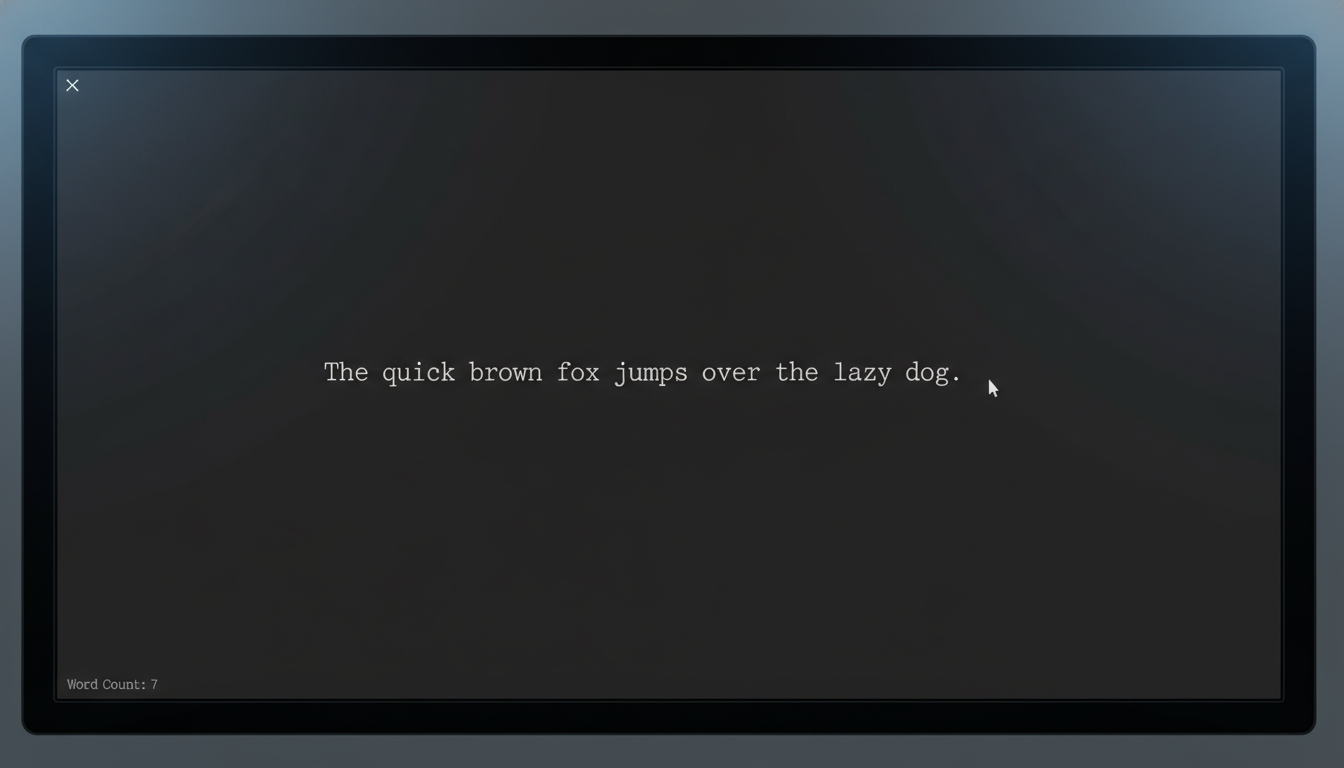
Consider the benefits of this approach:
- Reduced Cognitive Load: Fewer decisions about formatting mean more mental energy for writing.
- Enhanced Focus: No visual clutter to pull your attention away from the text.
- Faster Drafting: Uninterrupted typing leads to quicker output.
- Markdown Simplicity: Learn a few simple symbols and you have powerful formatting without breaking flow.
Intelligent Note-Taking & Knowledge Capture: Your Personal Digital Library
Note-taking is fundamental to learning, planning, and remembering. Yet, many popular note apps have become bloated, trying to be everything to everyone. Quiet note-taking tools, however, prioritize capture, retrieval, and connection over elaborate features.
Plain Text & Linked Notes: Building Your Second Brain
The concept of “plain text” notes might sound overly simplistic in an age of rich media and AI summaries. However, its power lies in its universality and future-proof nature. A plain text file can be opened by any computer, anywhere, anytime, without proprietary software. When combined with a system for linking notes, this approach transforms simple files into a powerful, interconnected knowledge base.
Tools that support plain text notes with markdown and bidirectional linking allow you to create a web of ideas. You write a note on a concept, and then, within that note, you can easily link to other related notes. This creates a personal wiki, where ideas aren’t siloed but are constantly cross-referenced. When you revisit a note, you immediately see all other notes that reference it, allowing for serendipitous discovery and deeper understanding.
This system encourages “atomic notes” – single ideas or concepts captured succinctly. Over time, these atomic notes form a robust network, making it easier to recall information, synthesize new ideas, and develop complex thoughts. It’s a quiet, organic way to build a personal knowledge graph that truly supports your intellectual work.
Streamlined Task Management: The Art of Getting Things Done, Simply
Task managers can quickly become overwhelming, turning into another source of stress rather than a solution. The quiet approach to task management focuses on clarity, actionable steps, and minimizing friction between identifying a task and starting it.
Kanban Boards and Simple Lists: Visualizing Progress Without Overthinking
While often associated with agile development, the Kanban method, in its simplest form, is a powerful quiet productivity tool. Imagine three columns: “To Do,” “Doing,” and “Done.” You move tasks (represented as cards) from left to right as you progress. This visual representation of your workflow provides immediate clarity on what needs attention, what you’re currently working on, and what you’ve accomplished.
Many digital tools offer minimalist Kanban implementations that don’t overload you with features. They focus on the core principle: visualizing flow. Similarly, simple list apps that prioritize quick entry and easy reordering can be incredibly effective. The goal isn’t to categorize every single item with multiple tags and due dates, but to ensure that your most important tasks are visible and actionable.
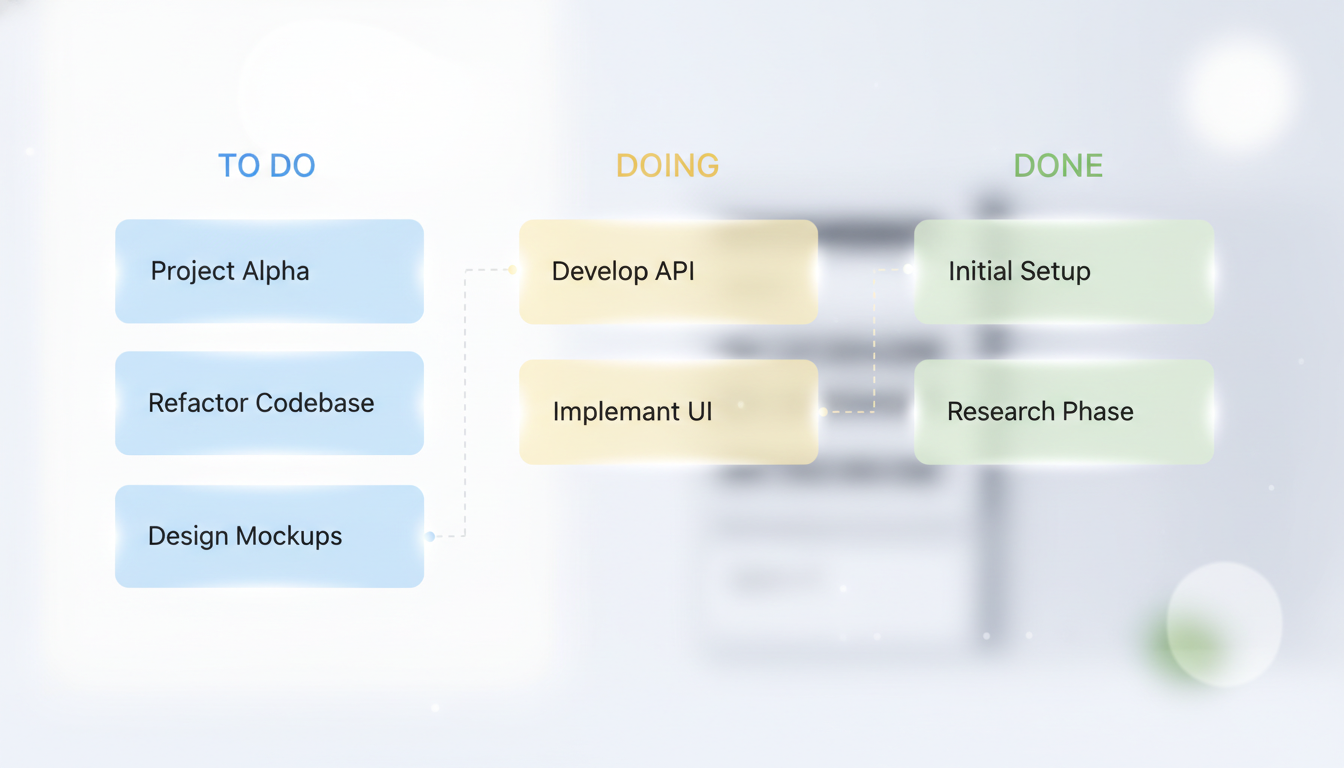
Here’s a checklist for choosing a quiet task management tool:
- Does it allow quick task entry?
- Is it visually uncluttered?
- Can I easily reorder or prioritize tasks?
- Does it support a “Doing” or “In Progress” state?
- Does it offer a sense of accomplishment upon completion?
- Does it avoid excessive notifications or reminders that could be distracting?
The less time you spend managing the manager, the more time you have for actual work.
Digital Decluttering & Organization: The Foundation of Calm Work
A cluttered digital environment mirrors a cluttered mind. Files scattered across your desktop, an overflowing downloads folder, and an email inbox bursting at the seams can silently erode your focus and productivity. Quiet productivity extends to the way we organize our digital lives, emphasizing simplicity and automation where possible.
Automated File Management & Smart Inbox Strategies
Consider tools that automate the organization of your digital files. Simple scripts or applications can watch specific folders (like “Downloads”) and automatically move files to pre-defined locations based on file type, name, or age. This “set it and forget it” approach ensures your digital workspace remains tidy without conscious effort. It’s about building systems that maintain order in the background, freeing your conscious mind for more important tasks.
Similarly, quiet inbox strategies focus on processing email efficiently rather than letting it accumulate. This might involve using simple rules to filter newsletters into a “Read Later” folder, using a “snooze” function for non-urgent emails, or adopting a “zero inbox” philosophy by quickly archiving or responding. The goal is to reduce the visual and mental weight of an overwhelming inbox, allowing you to approach email with purpose rather than dread.
The power here is in creating invisible scaffolding for your digital life. You don’t actively think about organizing; it simply happens. This quiet order provides a stable foundation upon which focused work can truly flourish.
Time Management & Awareness: Beyond the Pomodoro Timer
While popular techniques like the Pomodoro Technique are valuable, quiet time management tools offer a less intrusive way to understand and direct your time. They focus on awareness and gentle guidance rather than strict enforcement.
Unobtrusive Time Tracking for Insight, Not Pressure
Many time-tracking apps are designed for billing or project management, offering complex features. However, quiet time trackers are often minimal, running in the background, or requiring just a single click to start and stop. Their primary purpose isn’t to micromanage your hours but to provide insight into where your time actually goes. This awareness is incredibly powerful.
By simply logging your activities for a week or two, you can identify patterns, discover time sinks, and understand when you are most productive. This data isn’t meant to be punitive; it’s diagnostic. It allows you to make informed adjustments to your schedule and habits without feeling constantly monitored or pressured. These tools often present data in simple, easy-to-digest formats, highlighting trends rather than demanding detailed categorization.
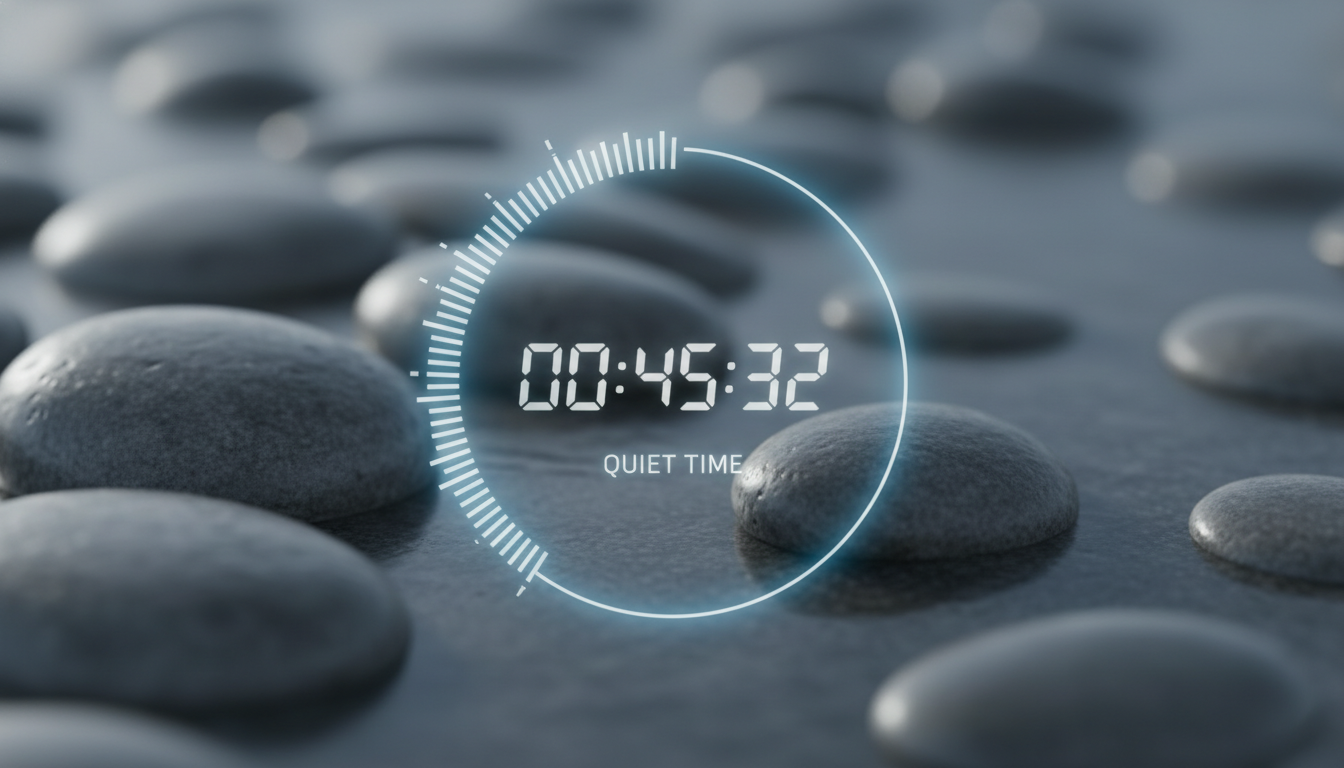
Another quiet approach involves simple, visual timers that don’t beep or vibrate but instead subtly show time elapsing. A visual countdown on your screen or a physical timer that slowly depletes its color can provide a gentle reminder of your focus period without breaking your concentration with audible alerts. It’s about fostering an internal clock rather than relying on external alarms.
Mindful Breaks & Recovery: The Essential Counterpoint to Work
Productivity isn’t just about working hard; it’s also about resting effectively. Ignoring the need for breaks and recovery leads to burnout and diminishing returns. Quiet tools in this category encourage mindful pauses without adding complexity.
Simple Break Reminders and Micro-Meditation Guides
Instead of elaborate wellness apps, consider minimalist break reminders. These might be desktop applications that gently fade your screen or display a simple message every hour, prompting you to stand up, stretch, or look away from your screen. They are designed to be noticed just enough to prompt action, then disappear, allowing you to return to your work refreshed.
Similarly, micro-meditation or breathwork guides can be incredibly quiet yet powerful. These aren’t full-blown meditation courses but simple, short audio cues or visual prompts (like a slowly expanding and contracting circle) that guide you through a few minutes of focused breathing. They can be integrated into a brief break to reset your mind, reduce stress, and improve focus for the next work block. The emphasis is on brevity and ease of access, making mental resets a natural, unintrusive part of your day.
These tools understand that true productivity is cyclical, requiring periods of intense focus balanced with periods of rest and mental replenishment. They provide the gentle nudge needed to maintain this balance without adding another layer of management to your day.
Cultivating a Quiet Productivity Mindset: Beyond the Tools
Ultimately, quiet productivity is less about the specific software you use and more about the mindset you cultivate. The tools are merely enablers for a deeper philosophy of work. It’s about being intentional with your attention, valuing simplicity, and understanding that less can often be more.
To truly embrace quiet productivity, consider these actionable takeaways:
- Audit Your Digital Environment: Regularly review the apps you use. Do they genuinely help, or do they add friction and distraction? Delete or disable those that don’t serve your core purpose.
- Embrace Constraints: Instead of seeking infinite options, deliberately limit your choices. Use a plain text editor, a simple task list, or a single-purpose timer. Constraints often foster creativity and focus.
- Schedule Deep Work Blocks: Protect periods of your day for focused, uninterrupted work. Turn off notifications, close unnecessary tabs, and let your quiet tools support your concentration.
- Prioritize Single-Tasking: Resist the urge to multitask. Give your full attention to one task at a time, allowing your brain to engage deeply without constant context switching.
- Practice Digital Minimalism: Periodically disconnect. Take breaks from screens. Engage with the analog world. This helps reset your focus and appreciate the quiet moments.
The journey towards quiet productivity is an ongoing process of refinement, stripping away the unnecessary to reveal the essential. It’s about finding peace and effectiveness in a noisy world, one thoughtful choice at a time.
Conclusion: The Enduring Power of Simplicity
In a landscape dominated by complexity and feature bloat, the quiet productivity tools stand as a testament to the enduring power of simplicity. They don’t shout for attention; they simply facilitate your work with elegance and efficiency. By choosing tools that respect your focus, minimize cognitive overhead, and integrate seamlessly into your natural workflow, you empower yourself to achieve more, with less stress and greater clarity.
This isn’t about rejecting technology, but about using it more wisely, more intentionally. It’s about curating a digital environment that supports your best work, rather than competing for your attention. Embrace the quiet, and discover a deeper, more sustainable path to productivity that truly serves your goals and your well-being. The most powerful tools are often the ones you barely notice, working diligently in the background, allowing you to shine.