
How to Set Up Your First AI Workflow Without Friction
The promise of Artificial Intelligence isn’t just about futuristic robots or complex algorithms; it’s about making your daily tasks simpler, faster, and more efficient. For many, the idea of integrating AI into their work or personal life feels like a monumental undertaking, fraught with technical jargon and steep learning curves. But what if setting up your first AI workflow could be a smooth, almost intuitive process? This guide is designed to demystify that journey, providing you with practical advice, clear examples, and actionable takeaways to build your first AI-powered system without friction.
An AI workflow is essentially a series of automated steps where AI tools perform specific tasks, from data analysis and content generation to task management and customer support. The beauty of these workflows lies in their ability to handle repetitive, time-consuming tasks, freeing you up for more creative and strategic work. Whether you’re a small business owner, a content creator, a student, or just someone curious about leveraging AI, this guide will walk you through the essentials, ensuring your first foray into AI is successful and empowering.
Understanding the ‘Why’: Defining Your Workflow’s Purpose
Before you dive into tools and technologies, the most critical first step is to clearly define what you want your AI workflow to achieve. Without a clear purpose, you risk building a complex system that doesn’t solve a real problem or deliver tangible value. Think about the bottlenecks in your current processes, the tasks that consume too much time, or areas where accuracy and consistency are paramount.
Consider these questions to pinpoint your workflow’s purpose:
- What specific problem am I trying to solve with AI?
- Which repetitive tasks could be automated?
- What kind of data will this workflow process or generate?
- What is the desired outcome or measurable benefit?
- Who will benefit from this workflow (e.g., me, my team, my customers)?
For example, instead of a vague goal like “use AI for marketing,” narrow it down to “automate the generation of social media captions for new blog posts” or “summarize daily news articles relevant to my industry.” Specificity is your best friend here. It helps you select the right tools, design an effective process, and measure success.

Choosing Your AI Tools: The Right Fit for the Job
Once you have a clear purpose, the next step is to identify the AI tools that can help you achieve it. The AI landscape is vast and constantly evolving, but most tools fall into a few key categories relevant to workflow automation. Remember, you don’t need to be a coding expert to use these; many are designed for user-friendliness and integration.
Common Categories of AI Tools for Workflows:
- Large Language Models (LLMs): Tools like ChatGPT, Claude, or Bard are excellent for text generation, summarization, translation, brainstorming, and even coding assistance. They can be integrated into workflows for content creation, email drafting, or report generation.
- Image Generation AI: Tools such as Midjourney, DALL-E, or Stable Diffusion can create unique images from text prompts, useful for marketing, blog posts, or presentations.
- Automation Platforms: Services like Zapier, Make (formerly Integromat), or n8n allow you to connect different apps and services, creating automated sequences. They act as the glue that holds your AI workflow together, triggering actions based on specific events.
- Data Analysis & Visualization: AI-powered analytics tools can process large datasets, identify patterns, and generate insights, often with natural language queries.
- Speech-to-Text & Text-to-Speech: Useful for transcribing meetings, creating audio content, or voice-enabling applications.
When selecting tools, prioritize those that offer good documentation, a supportive community, and clear integration capabilities. Many tools offer free tiers or trials, allowing you to experiment before committing.
Data Preparation: The Fuel for Your AI Workflow
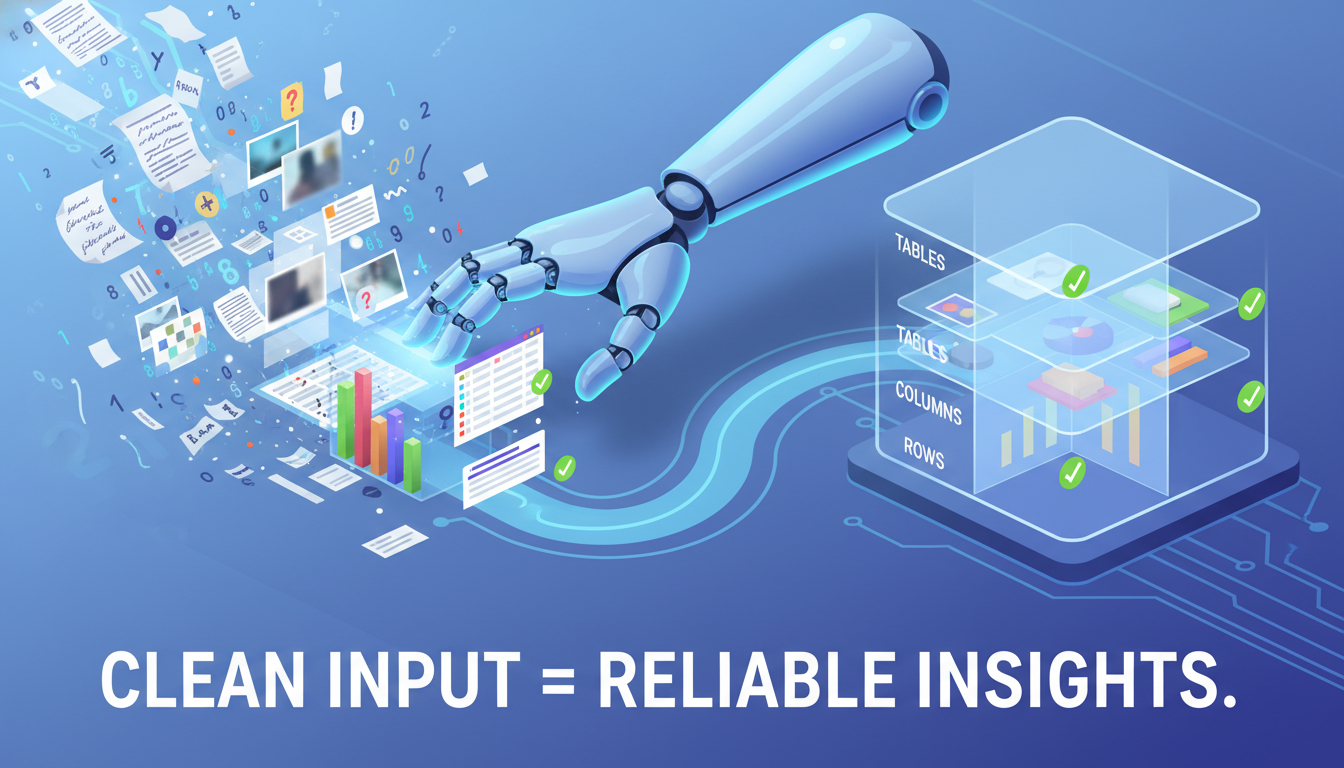
AI models are only as good as the data they’re trained on or the data you feed them. Data preparation is often the most overlooked yet crucial step in setting up an effective AI workflow. “Garbage in, garbage out” is a timeless adage that applies perfectly here. Clean, well-structured data ensures your AI tools can perform accurately and reliably.
Depending on your workflow, data preparation might involve:
- Collecting Data: Gathering relevant information from various sources (databases, spreadsheets, web pages, APIs).
- Cleaning Data: Removing duplicates, correcting errors, handling missing values, and standardizing formats. For example, ensuring all dates are in the same format or all text entries are free of typos.
- Structuring Data: Organizing unstructured data (like raw text or images) into a format that your AI tool can easily process. This might mean extracting key entities from text or tagging images with relevant keywords.
- Formatting Data: Converting data into the specific input format required by your chosen AI tool (e.g., JSON, CSV, plain text).
Even for simple workflows, taking a moment to ensure your input data is consistent and accurate will save you significant headaches down the line. If your workflow involves generating content based on existing information, ensure that information is up-to-date and factually correct.
Building Your Workflow: Step-by-Step Logic
With your goal defined and tools in mind, it’s time to map out the actual steps of your workflow. Think of this as creating a flowchart for your AI. This process involves identifying triggers, actions, and conditions.
A Simple Workflow Construction Checklist:
- Identify the Trigger: What event will start your workflow? (e.g., a new email in your inbox, a file uploaded to a cloud drive, a new entry in a spreadsheet, a scheduled time).
- Define the First Action: What should happen immediately after the trigger? (e.g., extract text from an email, download a file, read a row from a spreadsheet).
- Integrate AI Action(s): Where does AI come into play? (e.g., send extracted text to an LLM for summarization, send an image prompt to an image generator, analyze data with an AI tool).
- Specify Subsequent Actions: What happens with the AI’s output? (e.g., save the summary to a document, upload the generated image to a website, send an email with the analysis).
- Set Conditions (Optional but Recommended): Are there any rules that need to be met for the workflow to proceed? (e.g., only process emails from a specific sender, only generate images if a certain keyword is present).
- Define the End Point: What is the final step or desired outcome of the workflow? (e.g., notification, data saved, task completed).
Let’s consider an example: Automating Social Media Captions for New Blog Posts.
- Trigger: A new blog post is published on your WordPress site (detected via RSS feed or webhook).
- First Action: The workflow tool fetches the content of the new blog post.
- AI Action: The blog post content is sent to an LLM (e.g., ChatGPT) with a prompt like “Generate 5 engaging social media captions (under 280 characters) for this blog post, including relevant hashtags.”
- Subsequent Action: The generated captions are saved to a Google Sheet or sent to a social media scheduling tool.
- End Point: Social media captions are ready for review and scheduling.
Testing and Iteration: Refining Your AI Workflow
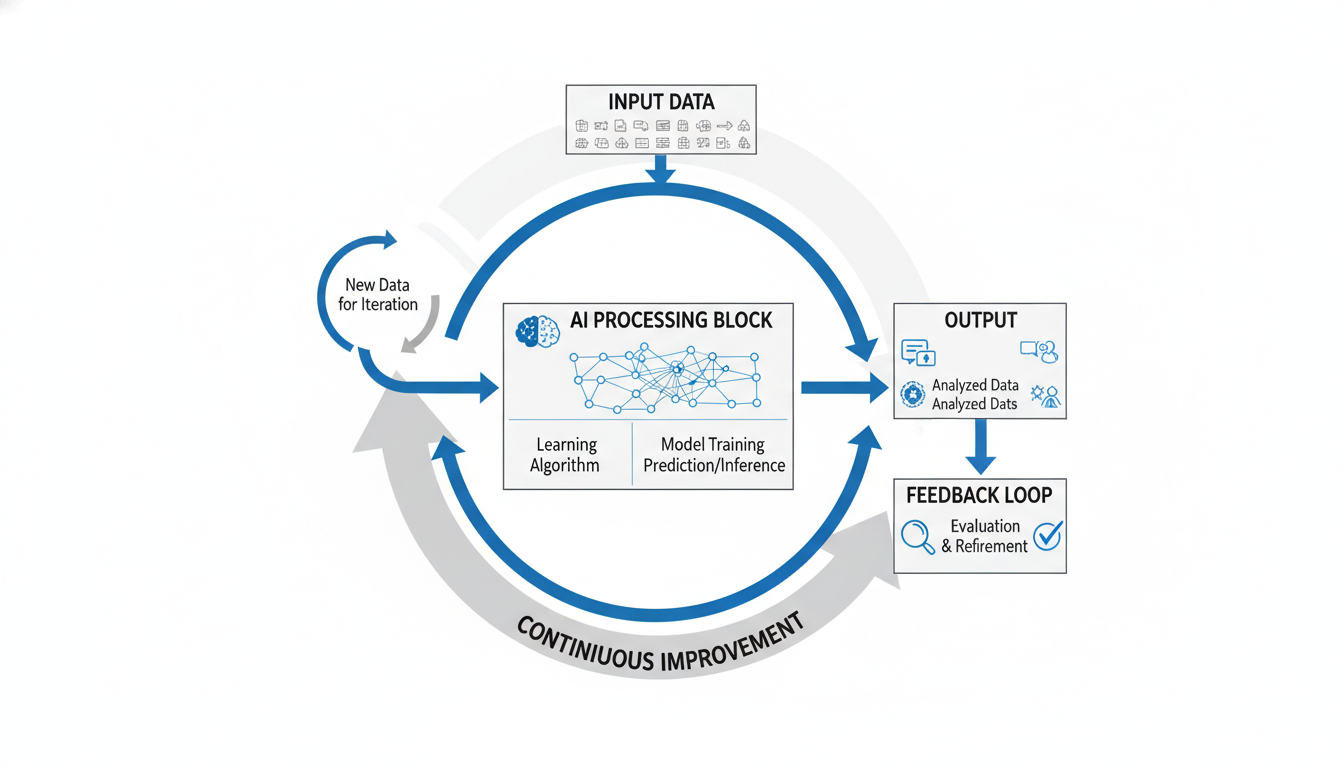
Rarely does a workflow work perfectly on the first try. Testing is an essential phase where you run your workflow with real or simulated data to identify any kinks, errors, or areas for improvement. Don’t be afraid to experiment and iterate.
Key Aspects of Testing:
- Run Small Batches: Start by testing with a single piece of data or a minimal trigger to observe the flow.
- Check Each Step’s Output: Verify that the output of one step correctly feeds into the next. Is the AI receiving the data in the format it expects? Is its output what you anticipated?
- Review AI Responses: Especially for LLMs, evaluate the quality, accuracy, and tone of the generated content. Does it meet your expectations? If not, refine your prompts.
- Error Handling: What happens if a step fails? Does the workflow stop, or does it have a fallback? Most automation platforms offer error handling mechanisms.
- Performance: How long does the workflow take to complete? Is it efficient enough for your needs?
Based on your testing, you’ll likely need to go back and adjust your prompts, refine your data preparation, or even reconsider your choice of tools. This iterative process is normal and leads to a more robust and effective workflow.
Automation and Integration: Making It Seamless
The true power of an AI workflow comes from its ability to run automatically and integrate seamlessly into your existing tools and processes. This is where automation platforms truly shine, acting as the central nervous system for your AI-powered tasks.
When you’re satisfied with your workflow’s performance during testing, it’s time to set it live. Most automation platforms allow you to schedule workflows to run at specific intervals (e.g., daily, hourly) or trigger them instantly based on real-time events (e.g., a new email, a form submission). Ensure that all necessary API keys and connections are securely configured.
Consider how the output of your AI workflow can be integrated into your existing tools. For instance, if your AI generates summaries, can they be automatically posted to a Slack channel or added to a project management tool like Trello or Asana? The goal is to minimize manual intervention and maximize efficiency.
Best Practices and Troubleshooting Tips
As you become more comfortable with AI workflows, keep these best practices in mind to ensure long-term success:
- Start Simple: Don’t try to automate everything at once. Begin with a small, manageable workflow, master it, and then expand.
- Document Your Workflows: Keep a record of what each workflow does, which tools it uses, and how it’s configured. This is invaluable for troubleshooting or when you need to make changes.
- Monitor Performance: Regularly check your workflow logs for errors or unexpected behavior. Most automation platforms provide detailed logs.
- Stay Updated: The AI landscape changes rapidly. Keep an eye on updates to your chosen tools and new technologies that could further enhance your workflows.
- Be Mindful of Costs: While many tools offer free tiers, complex or high-volume workflows can incur costs. Monitor your usage to avoid surprises.
- Data Privacy and Security: Be aware of the data you’re processing and ensure your tools and workflows comply with relevant privacy regulations (e.g., GDPR, CCPA).
Common Troubleshooting Scenarios:
If your workflow isn’t behaving as expected, consider these common issues:
- Incorrect Triggers: Is the trigger event actually happening? Is the automation platform correctly detecting it?
- API Key Issues: Are all API keys correctly entered and still valid? Have permissions changed?
- Data Format Mismatches: Is the data being passed between steps in the correct format? Check for unexpected characters, missing fields, or incorrect data types.
- AI Prompting: If an LLM’s output is poor, refine your prompt. Be more specific, provide examples, or add constraints.
- Rate Limits: Some APIs have limits on how many requests you can make in a given time. Check if your workflow is hitting these limits.
- Tool Outages: Occasionally, a service you rely on might be down. Check the status pages of your integrated tools.
Conclusion: Your Journey into Frictionless AI
Setting up your first AI workflow doesn’t have to be a daunting task. By breaking it down into manageable steps – defining your purpose, choosing the right tools, preparing your data, building the logic, and then testing and iterating – you can successfully integrate AI into your daily operations. The key is to start small, learn from each iteration, and continuously look for ways to refine and expand your automated processes.
The world of AI is rapidly evolving, offering unprecedented opportunities for efficiency and innovation. By taking these first steps, you’re not just automating a task; you’re empowering yourself to work smarter, reclaim valuable time, and unlock new possibilities. Embrace the journey, and enjoy the benefits of a more frictionless, AI-enhanced future.