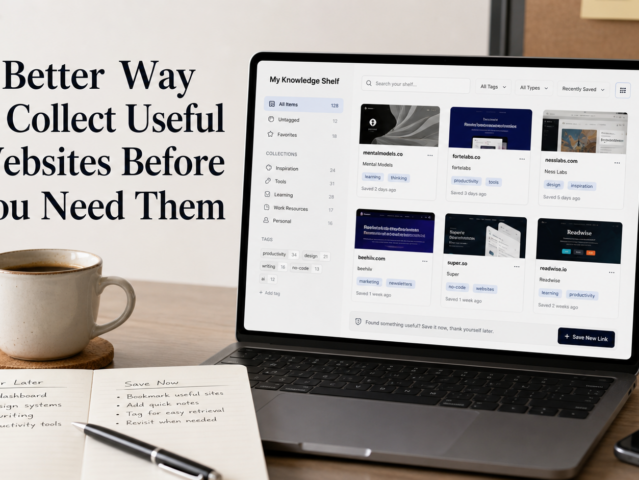
In our digital lives, information is abundant, often overwhelmingly so. We constantly discover fascinating articles, insightful posts, and crucial research. Our natural instinct is to save them, but these saved links often accumulate in a digital graveyard: a sprawling, unorganized collection of browser bookmarks, scattered notes, and forgotten tabs. This digital clutter, far from being a resource, becomes a source of stress and inefficiency.
This guide offers practical websites and simple workflows to transform your messy links into an organized, accessible, and genuinely useful research repository. We’ll explore tools that help you save, clean, annotate, archive, and revisit links without getting bogged down in complex knowledge management systems, ensuring your valuable discoveries don’t disappear into the digital ether.
The Core Problem: Link Overload and Digital Clutter
The internet is a vast ocean of information. Our browsers, acting as nets, capture every interesting article and promising resource. Over time, this digital basket overflows. Browser bookmark managers, while convenient for quick saves, lack the robust organization, search, or annotation features needed for serious research or effective personal knowledge management.
Link overload has significant consequences. We waste time searching for information we’ve already found, lose valuable insights, and the sheer volume of unread material leads to decision paralysis. The goal isn’t to save everything, but to save what matters in a way that makes it easy to find, understand, and reuse.
No single solution fits everyone. The best approach often combines a few specialized tools, each excelling at a particular task, integrated into a simple workflow that aligns with your habits. The key is to keep it minimal and functional, avoiding “tool fatigue” where managing tools becomes more work than managing information.
Saving Links Effectively: Beyond Browser Bookmarks
Browser bookmarks are fine for temporary saves. However, for anything you intend to revisit or integrate into research, dedicated services offer far more power. These tools go beyond merely storing a URL; they often capture content, allow for tagging, and provide a better reading experience.
Read-It-Later Services: Pocket and Instapaper
For articles, blog posts, and long-form content, read-it-later apps are invaluable. They strip away ads and distractions, presenting a clean, readable version. They also sync across devices, allowing you to read on your phone, tablet, or computer whenever convenient.
- Pocket: Excellent for discovery and sharing. It features a robust tagging system, allows favoriting, and suggests related articles. Its wide integration makes it popular for capturing content from various sources.
- Instapaper: Known for its minimalist interface and superior typography, Instapaper prioritizes a clean reading experience. It also offers highlighting and note-taking for initial annotation.
Both services allow single-click saving via browser extensions or mobile share sheets. They act as a temporary holding pen, preventing browser tabs from becoming chaotic.
Advanced Bookmarking: Raindrop.io
While read-it-later apps suit articles, what about videos, images, software links, or entire resource collections for a project? This is where Raindrop.io excels. It’s a versatile tool for saving virtually any link type, organizing it into collections with tags, descriptions, and even cover images.
Its strength lies in visual organization and powerful search. You can create nested collections for topics or projects, simplifying categorization and retrieval. It also offers a “permanent copy” feature for web pages, ensuring content access even if the original link dies. This makes it an excellent central hub for all saved web resources.
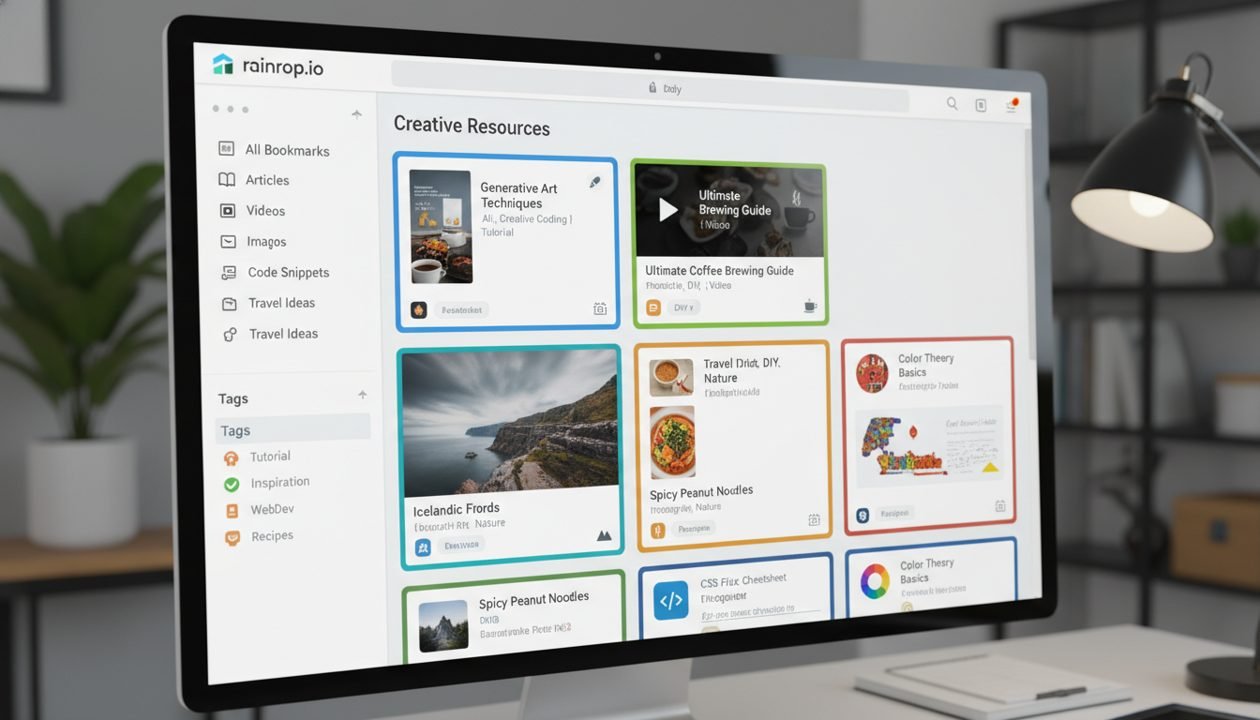
Consider Raindrop.io as your primary repository for all links beyond “read later” articles. Its ability to handle diverse content and robust organizational features significantly upgrades standard browser bookmarks.
Cleaning and Decluttering: Focusing on What Matters
After saving a link, the next step is often to make its content digestible. Web pages are frequently cluttered with ads, navigation, and pop-ups that impede focused reading. Cleaning the content means stripping away these extraneous elements to get to the core information.
Browser Reader Modes
Most modern browsers (Chrome, Firefox, Edge, Safari) include a built-in “Reader Mode.” Accessible via an icon in the address bar, this feature instantly transforms a cluttered page into a clean, text-focused document. It’s a quick way to improve readability without external tools.
While convenient, browser reader modes can be inconsistent, sometimes failing to activate or fully remove distractions. For more robust extraction, dedicated tools are often better.
Article Extractors: Mercury Reader and PrintFriendly
For consistent and powerful content extraction, browser extensions like Mercury Reader (Chrome/Firefox) are excellent. Mercury Reader cleans the page and offers options to adjust font size, theme, and print cleanly. It excels at identifying and isolating the main content block.
PrintFriendly & PDF is another useful tool. This website/extension lets you paste a URL and interactively remove images, paragraphs, and elements before printing or saving as a PDF. It’s ideal for creating specific, cleaned-up versions for offline use or archival, offering fine-grained control.
These tools improve reading and reduce cognitive load. By focusing on core content, you quickly identify key research information, making this decluttering step crucial for efficient information processing.
Annotating and Highlighting: Adding Your Own Insights
Saving a link is just the first step; truly engaging with content means making it your own. Annotation and highlighting capture your thoughts, identify key passages, and connect new information with existing knowledge. This transforms passive consumption into active learning.
Web Annotation with Hypothesis
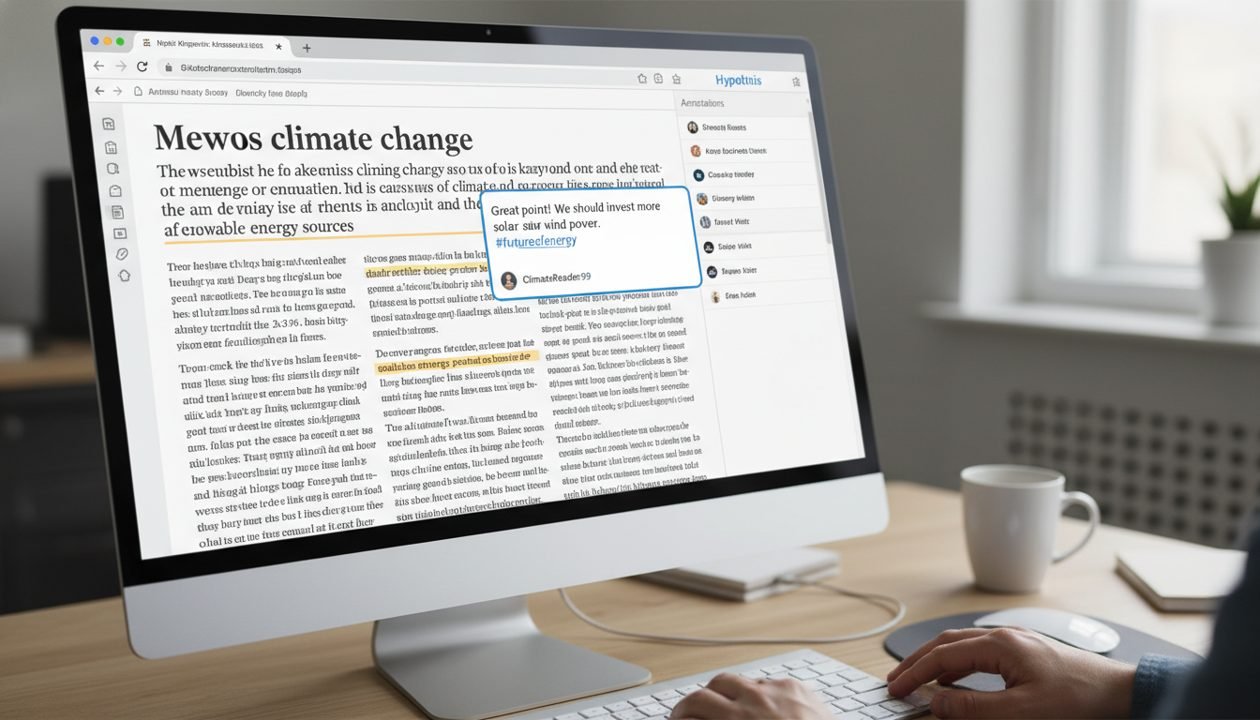
Hypothesis is an open-source project for annotating any web page or PDF. It acts like a digital highlighter and sticky notes across the internet. You can highlight text, add notes, and keep annotations private for personal research. For public groups, you can even reply to others’ annotations.
Its power lies in persistence: annotations are saved independently. Revisit a page, and your highlights/notes reappear. This is invaluable for academic research, collaborative projects, or recalling why a passage caught your eye. You can also search your annotations to retrieve specific insights later.
Highlighting with Liner
Liner is another popular highlighting tool, focusing on quick highlights and short notes with a clean interface. It also offers a discovery aspect, showing popular highlights from other users on the same page, which can provide interesting insights.
While Hypothesis offers robust, persistent annotation, Liner provides a streamlined highlighting experience, often preferred for quick information capture. Both actively engage you with web content, making research more personal and actionable. This active engagement significantly improves retention and understanding, making your saved links far more valuable.
Archiving for Longevity: When Links Disappear
The internet is dynamic; pages change, websites go offline, and links break. For research relying on specific web content, ensuring its longevity is paramount. Archiving tools create snapshots, preserving pages exactly as they appeared, even if the original source vanishes.
Snapshot Services: Archive.today and Perma.cc
Archive.today (also known as Archive.ph or Archive.is) is a simple, free service that takes a permanent snapshot of a web page. Paste a URL, and it creates a static copy, including text and images. It provides a unique, permanent URL for the archived version, useful for citing or saving alongside your original link. This is invaluable for preserving evidence or academic sources.
Perma.cc is another excellent archiving service, popular in academic and legal circles. Developed by the Harvard Law Library, it offers a robust, institutionally backed solution. While full features often require institutional affiliation, its public interface allows limited archives. Perma.cc also provides a permanent URL and is designed for long-term preservation.
Web Archiving Browser Extensions
For integrated archiving, browser extensions help. The Internet Archive’s “Wayback Machine” extension lets you easily save a page or check if it’s already archived. This is crucial for anyone serious about preserving web content.
Some advanced bookmarking tools, like Raindrop.io, offer internal archiving features, creating a local copy. While less robust than public archives, these provide a useful fallback for personal use. Incorporating archiving into your workflow, especially for critical sources, prevents significant frustration. It ensures research remains verifiable and accessible, despite the web’s ephemeral nature.
Revisiting and Discovering: Making Research Actionable
Saving, cleaning, annotating, and archiving are important, but the true value comes from effective revisiting and discovering new connections. Without a review system, even perfectly organized links can be forgotten.
Personalized Newsletters and RSS Readers
Instead of passively waiting for information or endlessly scrolling, curate your own information streams. RSS readers like Feedly or Inoreader centralize incoming content from your favorite blogs, news sites, and YouTube channels. This lets you quickly scan new content and save relevant links to your read-it-later or bookmarking service.
For a more curated experience, tools like Refind or custom newsletter services send digests based on your interests. This gently nudges you to revisit topics or discover new, related material without feeling overwhelmed.
Spaced Repetition for Links (Using Notion/Obsidian)
For critical information, integrate a spaced repetition system. While Anki is for flashcards, you can adapt the principle for links. Tools like Notion or Obsidian, robust knowledge bases, can be simplified for this purpose.
Create a simple Notion database with fields like “Link,” “Topic,” “Key Takeaway,” and “Next Review Date.” Periodically filter this database to resurface old links. In Obsidian, create daily notes linking to resources, and use plugins to highlight notes not revisited recently. This active recall solidifies information and prevents valuable insights from being lost.
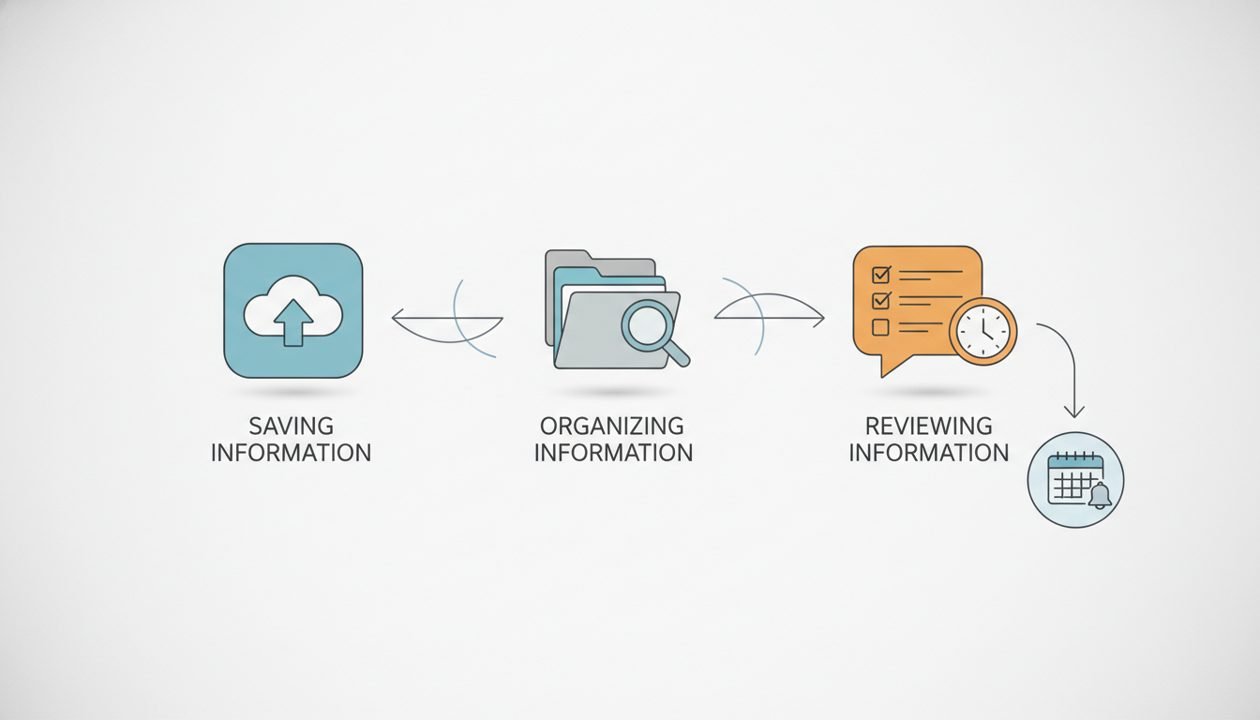
The goal is intentional review, not accidental rediscovery. By scheduling revisits, you transform your link collection from a static archive into a dynamic learning resource.
Building a Simple Workflow: Putting It All Together
Success lies not in using all tools, but in selecting a few that fit your needs and integrating them into a consistent workflow. Here’s a sample workflow:
- Capture Everything (Initially): When you find something interesting, use a browser extension to quickly save it.
- For articles/long reads: Send to Pocket/Instapaper.
- For everything else (videos, tools, reference pages): Send to Raindrop.io (into a general “Inbox” collection).
- Process and Organize (Weekly/Bi-weekly): Set aside dedicated time to review your “Inbox” and read-it-later queues.
- Read articles in Pocket/Instapaper, highlighting key points.
- Move links from Raindrop.io’s “Inbox” into specific, tagged collections (e.g., “AI Research,” “Web Dev Tutorials”). Add descriptions.
- Annotate and Deep Dive (As Needed): When deeply engaging with content for research:
- Open the link. Use your browser’s Reader Mode or Mercury Reader to clean it up.
- Use Hypothesis to highlight and add detailed notes directly on the page.
- If content is critical/ephemeral, use Archive.today or Wayback Machine to create a permanent archive.
- Review and Connect (Monthly/Quarterly): Periodically revisit annotated links and organized collections.
- Browse Raindrop.io collections to refresh memory.
- Search Hypothesis annotations for specific insights.
- Consider using a simple Notion database or Obsidian notes to link to important archived resources, adding your synthesis and review dates.
This workflow emphasizes “capture first, organize later,” preventing initial friction from stopping you from saving. Periodic review ensures saved links remain active resources, not just digital dust collectors.
Beyond the Tools: Cultivating Good Habits
Tool effectiveness depends on the habits you cultivate. Here are some principles:
- Be Selective: Not every link needs saving. Ask: Is this genuinely useful? Will I realistically revisit this? What problem does it solve?
- Process Regularly: Don’t let your “inbox” grow indefinitely. Schedule regular, short blocks of time (e.g., 15-30 minutes weekly) to process new saves, read articles, and organize links.
- Tagging is Key: Use a consistent tagging system based on topics, projects, or information types. Good tags make retrieval easier. Be descriptive but don’t overdo it.
- Add Context: A link alone is often insufficient. When saving, add a quick note about why you saved it, what was interesting, or its relation to existing research. Future You will appreciate it.
- Embrace Imperfection: Your system doesn’t need to be perfect from day one. Start simple, iterate, and adjust. Progress, not perfection, is the goal.
- Delete Ruthlessly: If a link is no longer relevant or useful, delete it. Digital decluttering is an ongoing process.
Conclusion
Transforming chaotic links into an organized, actionable research repository doesn’t require a complex system. By strategically employing specialized websites and adopting simple, consistent habits, you can transform your digital information landscape. The tools discussed provide practical solutions to information overload challenges, from saving and cleaning to annotating and archiving.
The true power lies in the intentional workflows these tools enable. Start small, experiment, and build a system that supports your curiosity and enhances your ability to learn and create. Your future self, armed with easily accessible and well-understood information, will be grateful.