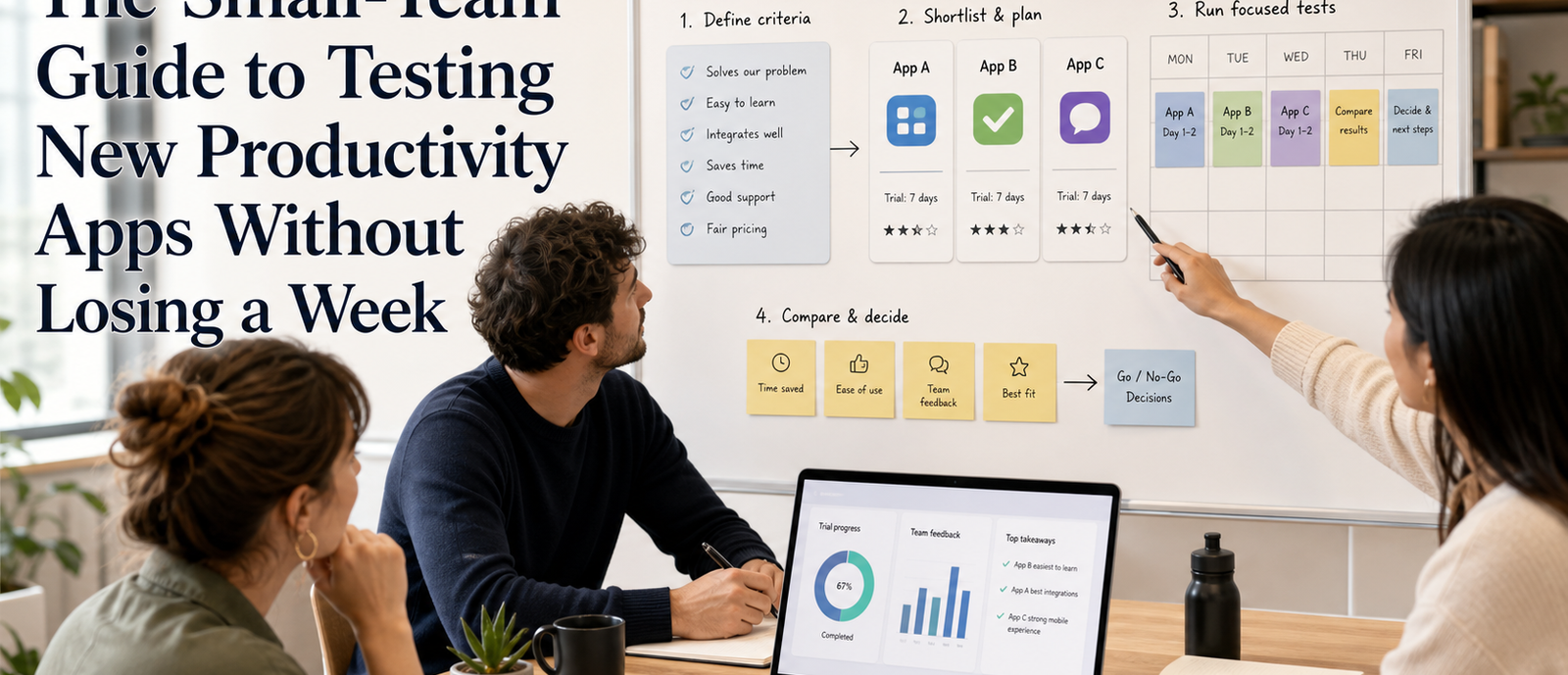
Testing a new productivity app can quietly consume the exact time the app is supposed to save. A team hears about a promising tool, creates accounts, imports a little data, debates settings, invites a few people, and then spends a week deciding whether the experiment was fair. By the time the trial ends, the team may have learned more about the onboarding process than about whether the app improves real work.
Small teams need a tighter method. The purpose of an app trial is not to explore every feature. It is to answer a narrow question: does this tool improve a specific workflow enough to justify the switch? When that question is clear, the test can be short, focused, and useful without becoming another project.
Choose One Workflow to Test
The most common mistake is testing an app against the team's entire work life. That creates too much noise. Pick one workflow where the current process is visibly slow or awkward: meeting notes, task handoff, file review, customer follow-up, research collection, content planning, or weekly reporting. A narrow workflow produces clearer evidence.
Define the workflow in plain language. Who starts it? What information enters the process? What output should exist at the end? Where does the current process break down? This description keeps the trial grounded in work that already matters instead of letting the new app decide what the team should care about.
- A workflow with repeated friction, not a rare edge case
- A process used by at least two people
- A task where the output can be compared before and after
- A problem small enough to test in a few days
Set Success Criteria Before Login
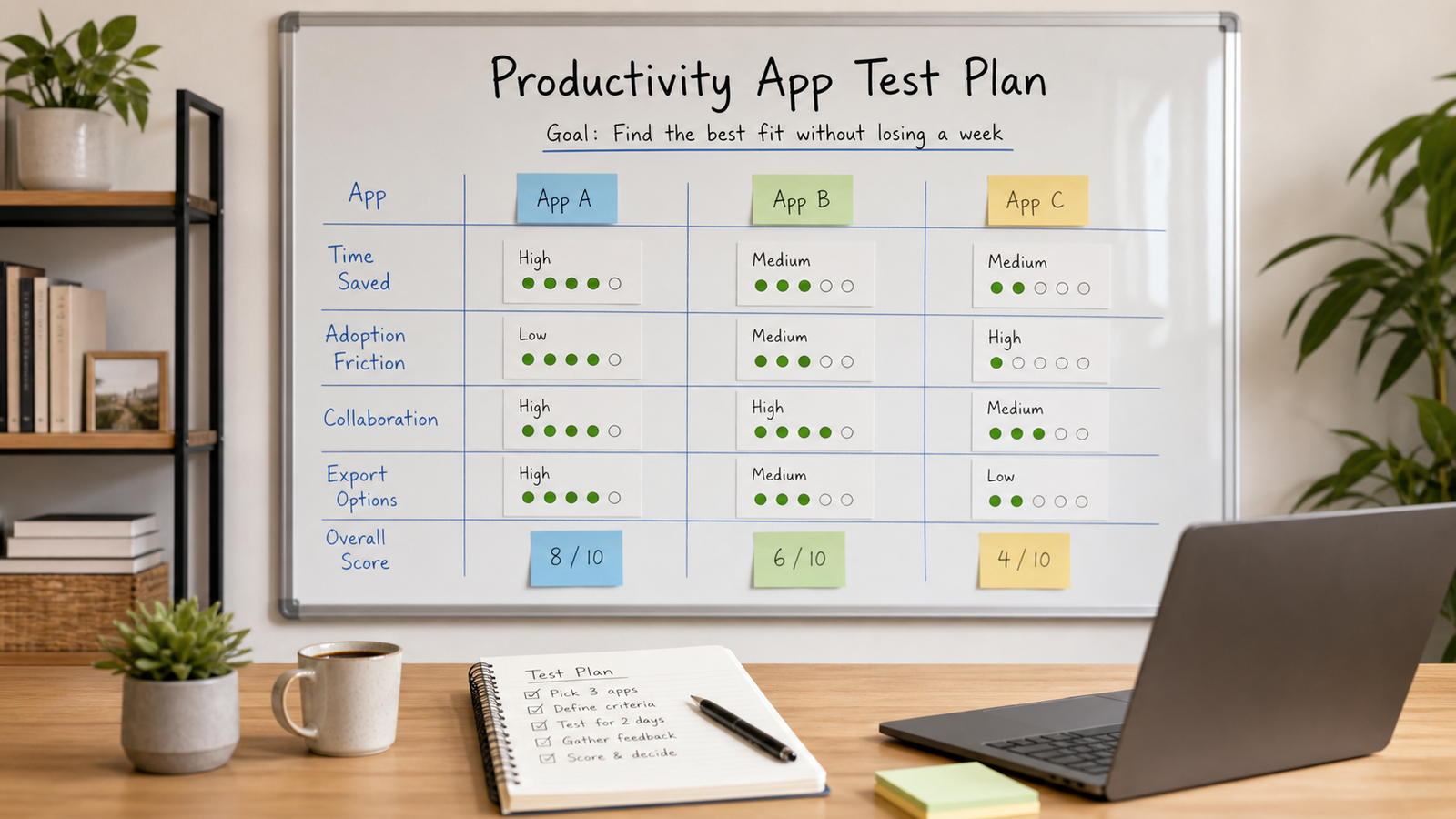
Success criteria should be written before anyone creates an account. Otherwise the team may keep moving the target as new features appear. Criteria can be simple: reduce handoff time, make ownership clearer, improve search, lower meeting follow-up, simplify approvals, or reduce duplicate work. The important part is that everyone agrees what would count as improvement.
Use a small scoring scale and a few notes rather than a long survey. A trial should create enough evidence to make a decision, not a research report nobody reads. Three or four criteria are usually enough for a first pass.
Limit the Trial Window
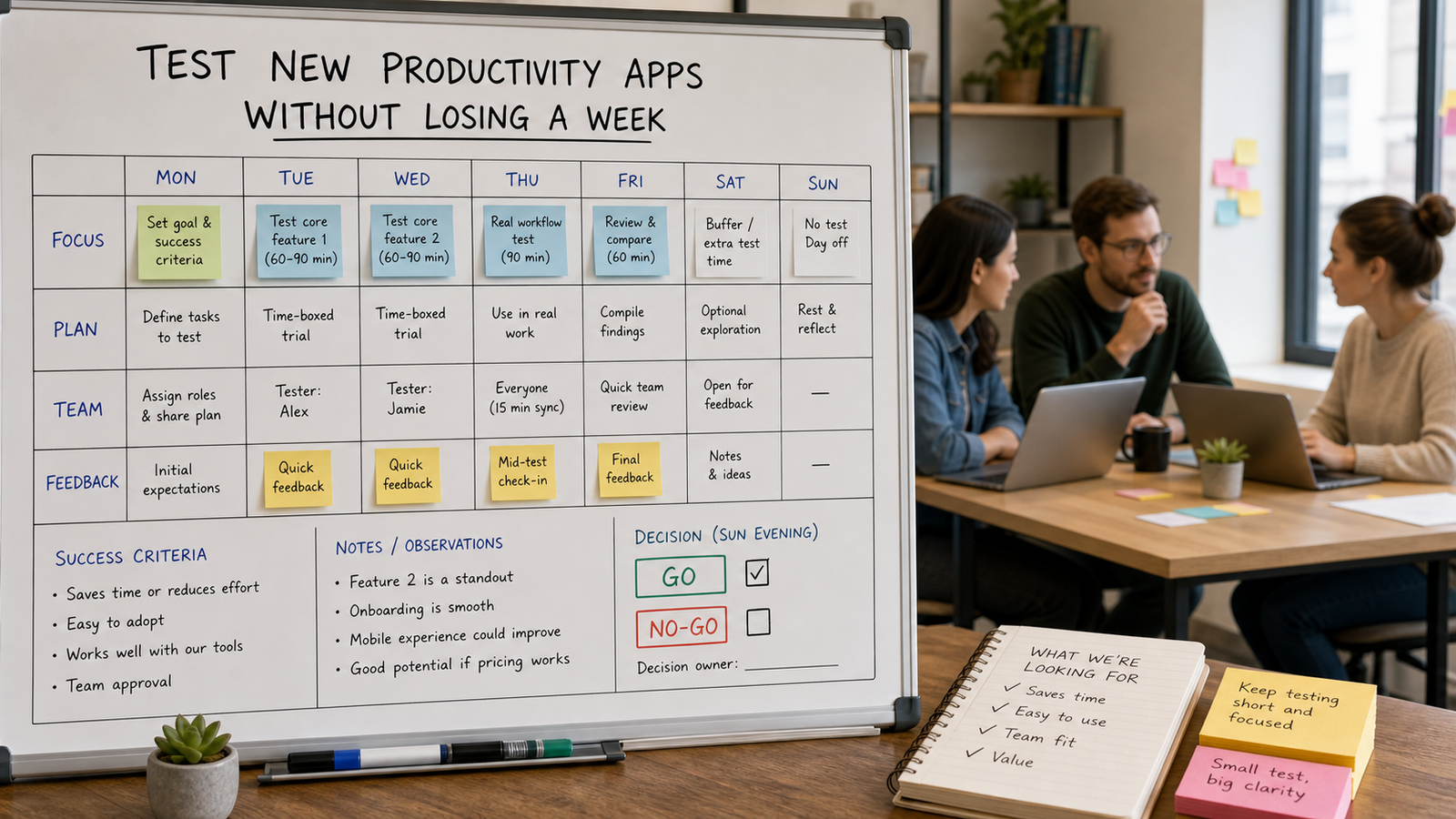
A one-week trial sounds short, but it is often enough for a narrow workflow. The first day can cover setup and a baseline. The middle days can run real work through the app. The final day can collect feedback and make a go, no-go, or retry decision. The deadline prevents exploration from expanding endlessly.
If the workflow only happens monthly, use a simulated version with real examples from the last cycle. The goal is not to fake the work. The goal is to test the tool against realistic inputs without waiting weeks for the perfect moment.
- Day 1: define the workflow, criteria, and baseline pain points.
- Day 2: configure only the features needed for the test.
- Days 3-4: run real work through the app with a small group.
- Day 5: collect feedback, compare against criteria, and decide.
Keep the Test Group Small
A trial does not need the whole team. In fact, involving everyone too early can create confusion and resistance. Start with the people who understand the workflow best and will notice whether the app reduces friction. Two to five participants are usually enough for an early test in a small team.
Make one person responsible for the trial. That person does not need to be the boss. They need to keep the criteria visible, collect observations, and stop the team from wandering into unrelated features. Ownership keeps the trial from turning into casual experimentation.
Measure Friction, Not Excitement
New tools often feel exciting on the first day because everything looks fresh. Excitement is not a reliable metric. Friction is. Watch how many steps it takes to complete the workflow, how often people ask for help, whether information is easier to find, and whether the output is clearer than before. These observations matter more than whether the interface feels novel.
Also measure migration cost. A productivity app can be good and still wrong for the team if setup, training, permissions, exports, or integrations create too much overhead. The trial should reveal the cost of adoption alongside the benefit.
Document the No-Go Reasons
A failed trial is still useful if the team writes down why it failed. Maybe the app lacked a key export, duplicated an existing tool, required too much manual maintenance, or solved a problem the team did not actually have. These notes prevent the same category of tool from being tested again for the same weak reason.
No-go reasons also reduce political friction. Instead of saying the team did not like a tool, the decision can point to agreed criteria. That makes the outcome easier to accept and keeps the process objective.
- Too much setup for the size of the workflow
- Weak exports or lock-in concerns
- Duplicate functionality already covered elsewhere
- Improvement was real but too small to justify switching
- The team needed a process fix before a software fix
Decide With Three Outcomes
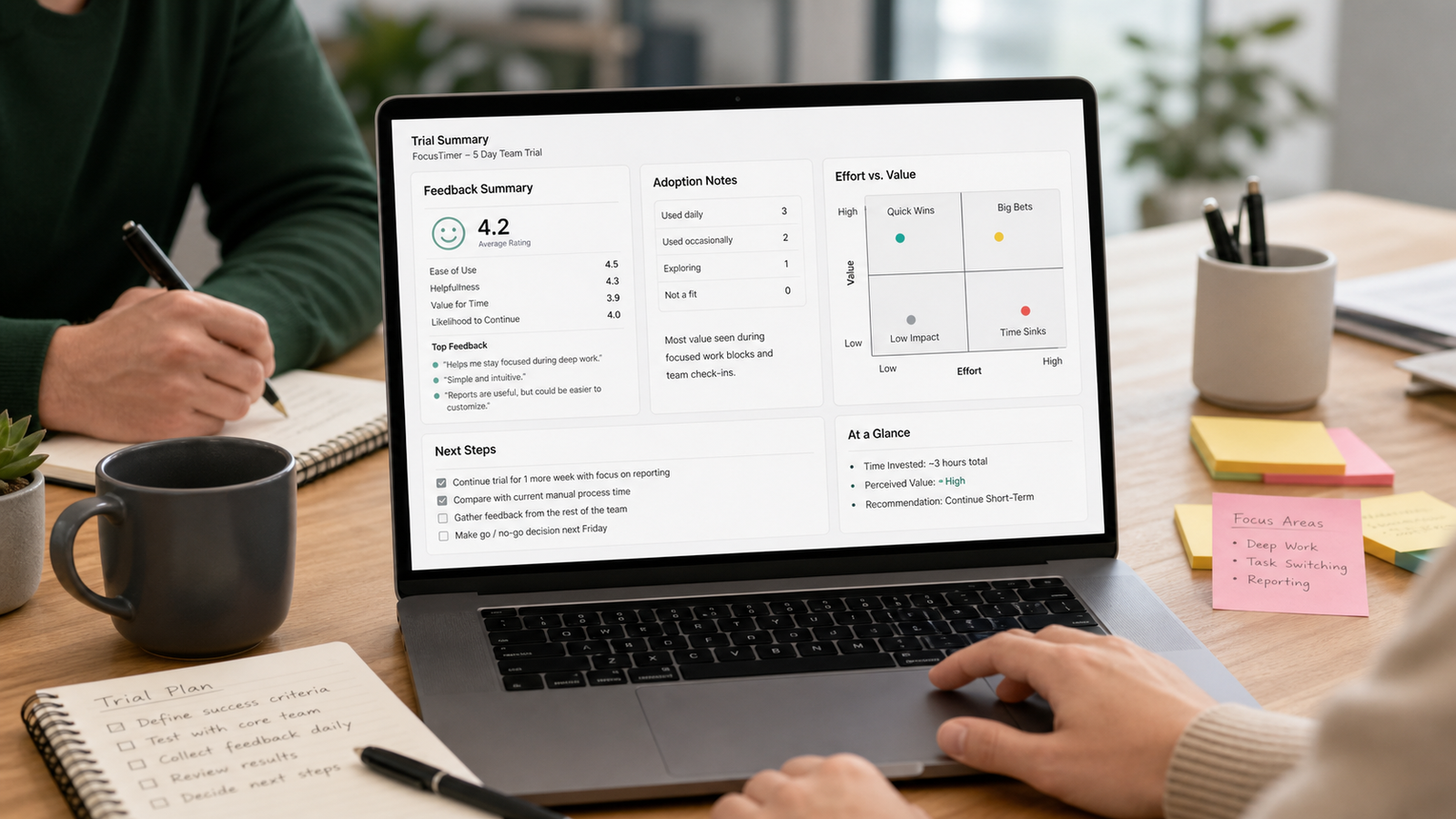
Avoid treating the trial as a simple yes or no. Use three outcomes: adopt, reject, or retry with a narrower setup. Adopt means the app clearly improved the selected workflow and the adoption cost is acceptable. Reject means it did not meet the criteria. Retry means the first test was inconclusive because the setup, workflow, or criteria were not precise enough.
This three-outcome model keeps decisions practical. It prevents endless trials while still leaving room for a fair second pass when the first test was flawed. The team should also decide what happens next: who migrates data, who writes the basic guide, who reviews the tool after thirty days, and what would trigger removal.
Make the Trial Reusable
Once the team has tested one app this way, turn the process into a template. Keep the workflow description, criteria, timeline, feedback questions, and decision record. The next trial will be faster because the team is not inventing the process from scratch. Over time, the template becomes a guardrail against tool churn.
A good testing process protects the team's attention. It gives new apps a fair chance without letting them take over the week. Pick one workflow, write the criteria, run a short trial, document the result, and move on. That is enough structure to make better tool decisions without losing the time those tools are supposed to save.
Additional practical notes
Before the trial begins, capture the current workflow in its existing state. This baseline does not need to be perfect. Write down the current tools, the handoff points, the usual delays, and the moments where people repeat work. Without a baseline, the new app may feel better simply because people are paying closer attention during the trial.
The team should also decide what data is safe to use during testing. Some trials can use dummy projects, sample documents, or copied examples. Others need real work to expose the actual friction. Either approach can work, but the choice should be deliberate. A test that avoids all realistic complexity may produce a decision that falls apart during adoption.
Keep configuration restrained. Many productivity apps invite teams to design custom fields, automations, templates, dashboards, and notification rules immediately. During a short trial, configure only what the chosen workflow requires. Extra setup can make an app look powerful while hiding the maintenance cost that the team will carry later.
Feedback should be collected while the experience is fresh. Ask participants what felt easier, what felt slower, what confused them, and what they would miss from the current process. Short written notes are usually better than a long meeting because they preserve individual observations before group opinion smooths them out.
If the trial points toward adoption, plan a quiet rollout. Decide which old process will be retired, which data must move, who needs training, and when the team will review the decision. A tool that is added without removing an old habit often increases workload. Adoption should simplify the environment, not create one more place to check.
Finally, keep an exit path visible. The team should know how to export data, cancel the service, or return to the previous process if the app stops fitting. This does not mean expecting failure. It means protecting the team's work from unnecessary lock-in and making the initial decision easier because the downside is understood.
A reusable testing template also helps the team say no faster. Once criteria are written down, many tools can be rejected before a trial because they clearly fail a requirement such as export, permissions, cost, or workflow fit. The best productivity process is not testing more apps. It is making fewer, better tests.
Cost should be evaluated as more than subscription price. Include training time, administrative work, migration effort, support questions, and the attention cost of adding another interface to the day. A cheaper tool can become expensive if it creates confusion. A more expensive tool can still be wrong if the workflow improvement is not specific enough.
Security and permissions deserve a quick check even for small teams. Before adding real work, confirm who can access data, how sharing works, whether exports are available, and what happens when a teammate leaves. These details are not exciting, but they often determine whether a tool can be used responsibly beyond the trial.
The final decision should be written in a short record that the team can revisit. Include the workflow tested, participants, dates, criteria, main findings, and outcome. This record prevents future debates from relying on vague memory. It also gives the next app test a starting point, which makes the team's evaluation process faster each time.
The practical value of any system depends on how often it survives ordinary weeks. A method that only works when you have extra time is fragile. Keep the setup visible, reduce the number of required choices, and make the first action obvious enough that you can restart without rereading a long guide.
It is worth reviewing results, not just intentions. After using the method for a few days, ask what became easier, what still felt slow, and what you ignored. Those observations are more useful than trying to perfect the system in advance because they come from real use rather than imagined discipline.
Small constraints usually help. A time limit, a fixed checklist, or a narrow definition of done prevents the work from expanding. The point is not to make the process rigid. The point is to protect attention so that the tool, website, or workflow serves the decision instead of becoming the decision.
When the method stops helping, simplify before replacing it. Remove unused fields, reduce categories, shorten the checklist, or return to one clear question. Many productivity problems are not caused by having the wrong system; they come from letting a once-useful system grow beyond the work it was meant to support.