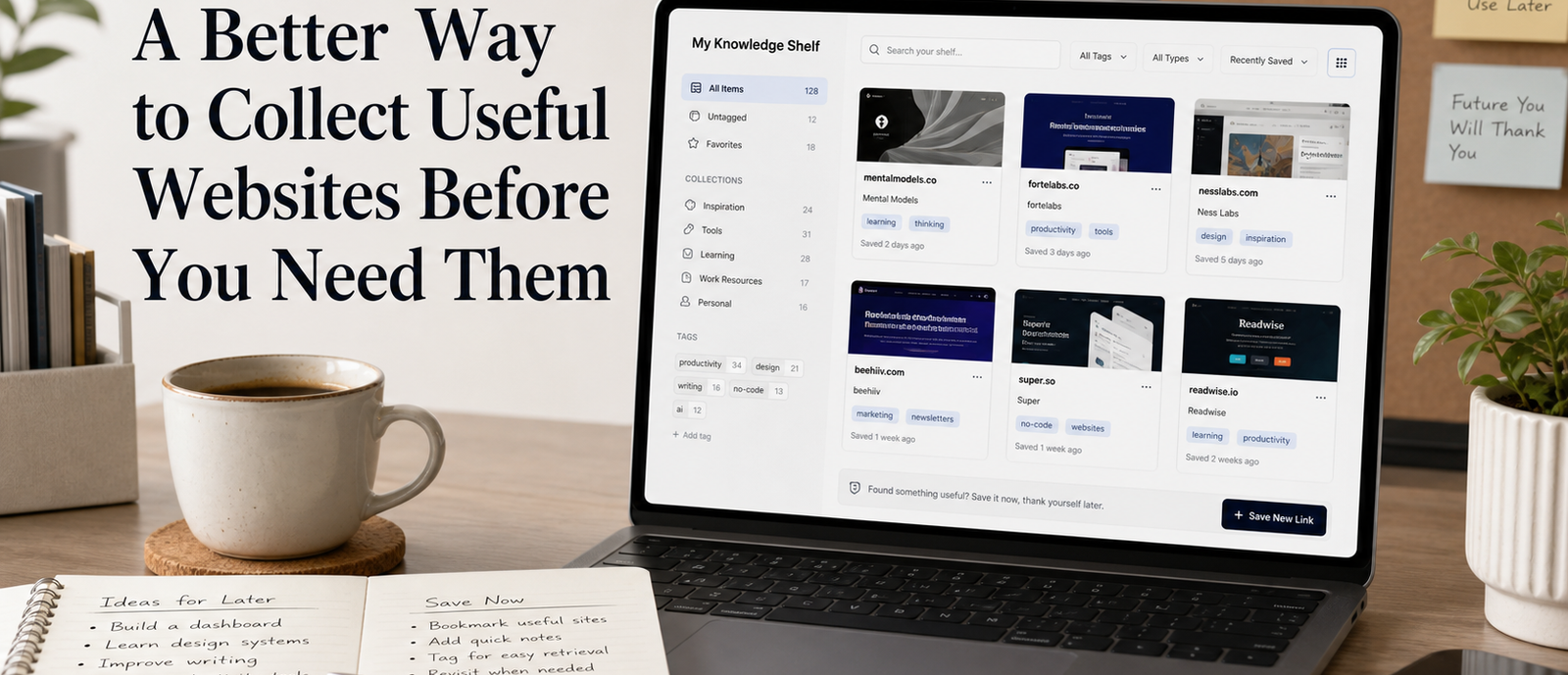
Useful websites are easy to find once and surprisingly easy to lose. A calculator solves a niche problem, a reference page explains a confusing topic, a tiny tool converts a file, or a directory helps you compare options. You bookmark it, close the tab, and then months later you cannot remember the name, the search phrase, or the reason it mattered. The value was real, but the collection method was weak.
A better way to collect useful websites is to treat them as future answers, not as random links. The point is not to build a giant bookmark museum. The point is to make sure that when a problem returns, the right resource is easy to find, easy to understand, and still worth using. That requires a small amount of context at the moment you save the link.
Define What Counts as Useful
Before saving more links, decide what earns a place in your collection. Useful does not mean interesting, trendy, or vaguely promising. A useful website helps you complete a task, answer a recurring question, compare choices, learn a process, or reduce friction in a specific situation. This definition keeps the collection practical and prevents it from turning into an archive of good intentions.
It also makes deletion easier. If a saved site no longer solves a problem, you can remove it without guilt. Collections become messy when every link is treated as potentially valuable. Practical collections improve when links must justify their place by connecting to a real future use.
- Task tools that convert, calculate, clean, test, or generate something
- Reference pages that explain a process clearly enough to revisit
- Directories that make comparison faster
- Examples, templates, or checklists you can adapt later
Save the Reason, Not Just the Link
The most important field in a link library is the note you write when you save the website. A title and URL are not enough because they describe the page, not your reason for caring. Add one sentence that begins with a practical phrase: 'Use this when…' or 'Saved because…' That note turns a bookmark into a reusable resource.
For example, a site that looks forgettable today may be exactly what you need during a future project. If the saved note says it helps compare document formats, test page speed, generate placeholder data, or explain a legal term in plain language, you can find it by intent instead of memory.
Organize by Future Situation
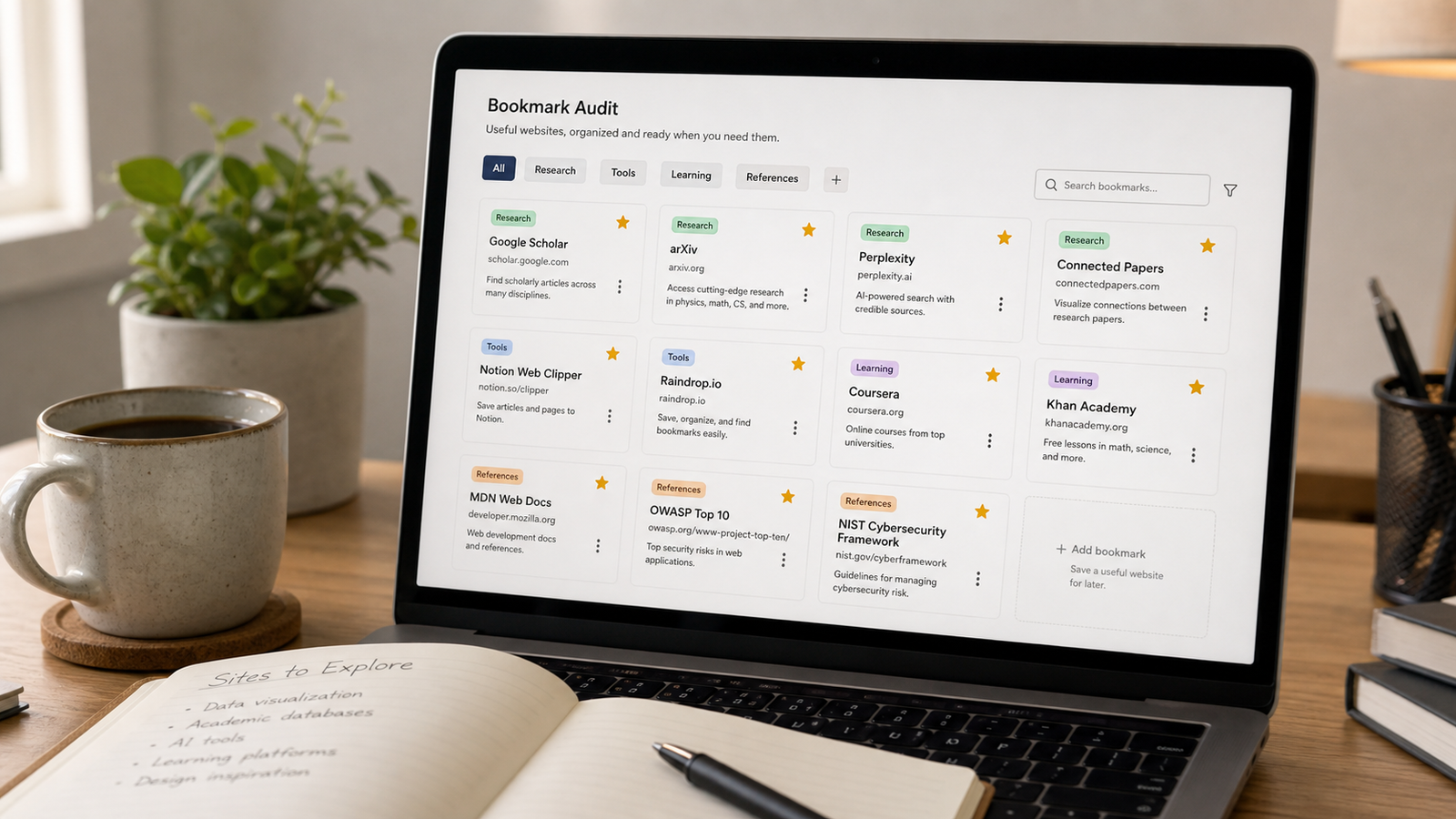
Traditional bookmark folders often sort by subject: design, writing, coding, shopping, travel. That can work, but future-you usually searches by situation. You are not thinking, 'Where is my design folder?' You are thinking, 'I need to compress an image without losing too much quality' or 'I need a plain explanation before I make a decision.' Tags based on use cases are usually stronger than broad topical folders.
Keep the tag list short at first. Too many tags create another organization problem. Start with verbs and contexts: compare, convert, verify, learn, plan, write, calculate, troubleshoot, buy, explain. These tags describe why you would reopen the website, which is the real purpose of the library.
Capture Quickly, Review Slowly
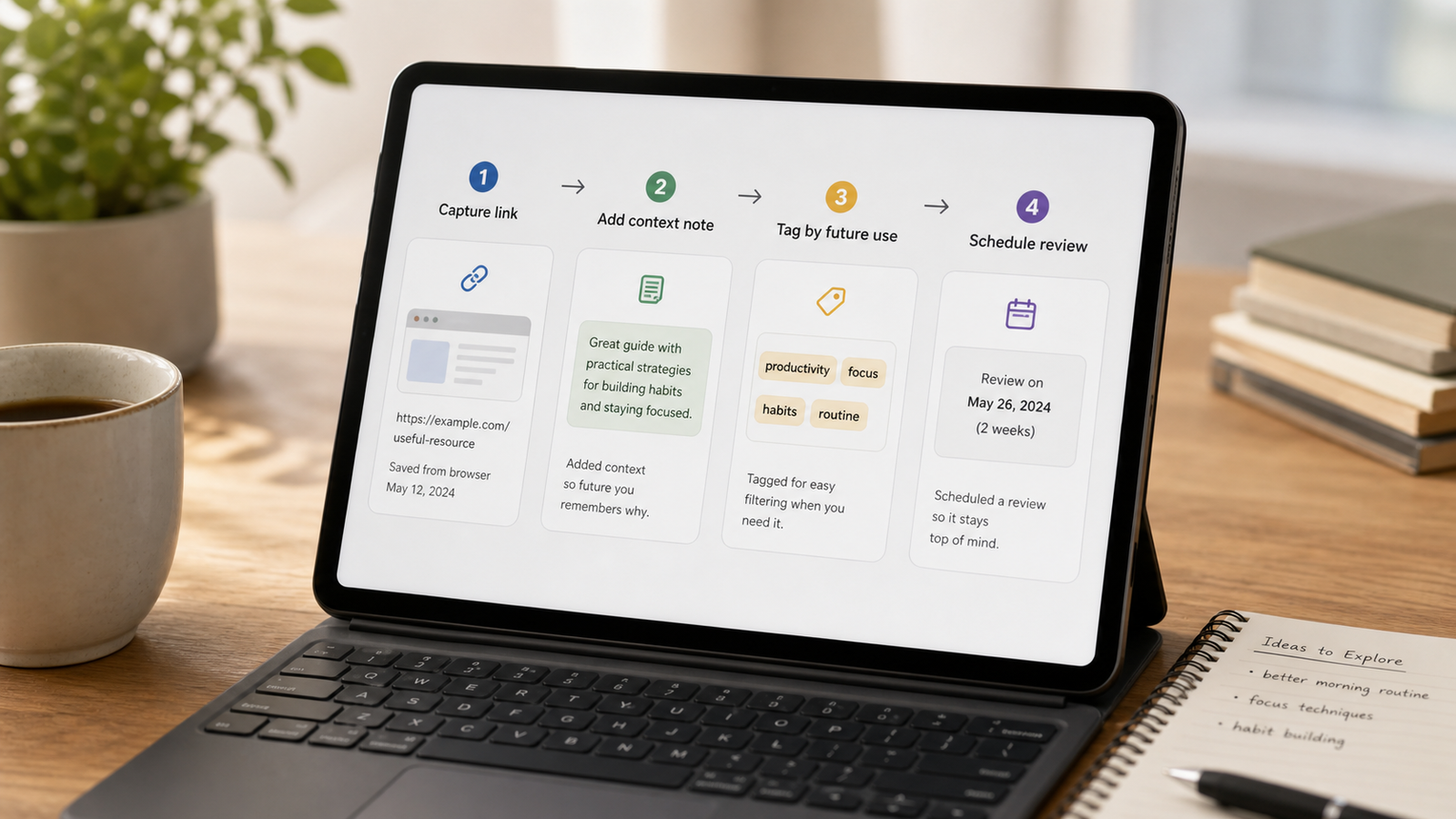
The saving process should be fast enough that you actually use it. Capture the link, add the reason, choose one or two tags, and move on. Do not stop to perfect the title, screenshot, description, or folder path. A quick capture habit protects momentum during research and browsing.
Review is a separate step. Once a week or once a month, open the recent captures and decide what deserves to stay. Some links will be duplicates. Some will be weaker than they seemed. Some will need a better note. This slower review keeps the active collection clean without forcing you to interrupt every browsing session.
- Capture the page with its original title and URL.
- Add one sentence explaining when you would use it.
- Apply one primary tag and one optional context tag.
- Review recent saves on a recurring schedule.
- Delete or archive links that no longer solve a clear problem.
Make Search the Main Interface
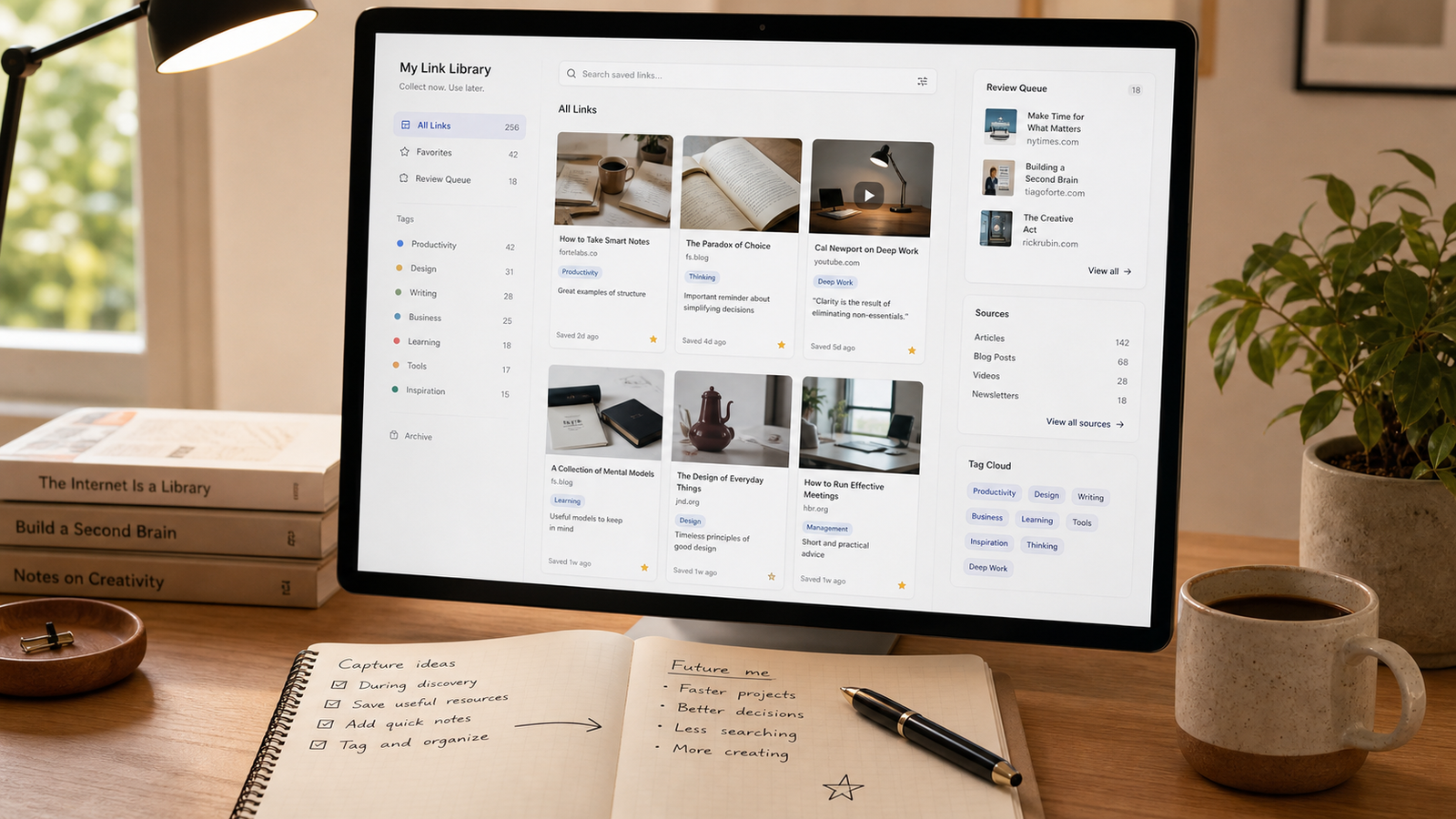
A link collection becomes more valuable when it is searchable by your own language. If your notes include phrases like invoice template, citation checker, color contrast, meeting agenda, research source, or refund policy, you can search by the problem you are facing. This is much easier than remembering the exact name of the website.
Search also reduces the pressure to create perfect categories. A good collection can be messy underneath if the notes are clear enough on the surface. The real test is whether you can retrieve the right link in less than a minute. If you cannot, the saved note needs more context.
Separate Temporary Links From Permanent Tools
Not every useful website needs to live forever. Some links are project-specific and can be removed when the project ends. Others are durable tools you might use for years. Mixing those two types makes the collection harder to trust. Add a simple status field or tag such as temporary, active, or reference.
This separation helps during cleanup. Temporary links can be reviewed aggressively. Permanent tools should be checked occasionally to make sure they still work, still feel trustworthy, and still do the job better than alternatives. The collection stays smaller, but more reliable.
Signs a website deserves a permanent spot
- You have used it successfully more than once
- It solves a problem that returns regularly
- It does not require an account for simple use
- Its output is easy to verify or export
- The page is stable enough to revisit later
Build a Monthly Usefulness Audit
A monthly audit sounds formal, but it can be simple. Open the collection, sort by recent saves, and ask whether each link has a clear purpose. Fix weak notes, remove dead pages, merge duplicates, and promote the tools you actually used. The audit should make the library easier to trust, not bigger.
The best link collection is not the one with the most websites. It is the one that helps you act quickly when a familiar problem appears. Save fewer links, explain them better, and review them regularly. Over time, you will have a practical map of the web that reflects your real work instead of a pile of forgotten tabs.
Additional practical notes
One helpful rule is to save the search phrase that led you to the website. Search phrases are clues about future retrieval. If you found a resource by searching for a specific problem, write that problem into the note. Later, when memory is vague, the same natural wording can lead you back to the saved page even if the website title is forgettable.
Screenshots can be useful, but they should not replace context. A screenshot reminds you what a page looked like; a note explains what it did for you. If you use visual previews, pair them with a short reason and a status. Otherwise the collection may become attractive but hard to search, especially when many websites have similar layouts or generic tool names.
A strong collection also respects expiration. Some pages are timeless, while others depend on pricing, policies, versions, availability, or current data. Add a review date when the information may become stale. This is especially useful for comparison pages, buying guides, documentation, and service directories. A stale link is not always useless, but it should not be treated as current evidence without checking.
When a website becomes part of a recurring workflow, upgrade its note. Add the exact steps you usually follow, the input it needs, and the output you expect. This turns a saved website into a mini-procedure. The next time the task appears, you do not need to rediscover how the site fits into the work; the collection tells you.
Avoid saving every alternative in a category. If you test five similar tools, keep the one that worked and one backup if needed. Archive the rest with a short reason or remove them entirely. A collection filled with near-duplicates slows retrieval because each future decision forces you to compare old options again.
The collection should feel like a personal map, not a public directory. It does not need to impress anyone or cover every topic. It only needs to reflect the problems you actually solve. That practical bias is what makes the library valuable over time: it grows around real use rather than around the endless possibility of what might be useful someday.
If you share links with a team, keep a small shared layer separate from your personal collection. Shared libraries need clearer naming, fewer private notes, and more consistent review. Personal libraries can be informal and fast. Mixing the two often creates either a messy team resource or a personal system that becomes too formal to maintain.
It is also useful to record what a website should not be used for. A page may be helpful for inspiration but weak as evidence. A tool may be fine for quick conversions but unsuitable for private files. A directory may surface options but not provide enough detail for final decisions. These cautions help future-you use each link with the right level of trust.
When you find a truly useful site, look for its surrounding context. Does it have documentation, examples, a changelog, an about page, or a clear maintainer? You do not need to investigate every link deeply, but important resources deserve a quick trust check. The stronger the consequence of using the information, the more context you should save.
A small inbox can help with impulse saves. Send uncertain links to an inbox instead of the main library. During review, promote only the ones with a clear use case. This keeps discovery playful while protecting the permanent collection from every interesting page you meet during a long browsing session.
The practical value of any system depends on how often it survives ordinary weeks. A method that only works when you have extra time is fragile. Keep the setup visible, reduce the number of required choices, and make the first action obvious enough that you can restart without rereading a long guide.
It is worth reviewing results, not just intentions. After using the method for a few days, ask what became easier, what still felt slow, and what you ignored. Those observations are more useful than trying to perfect the system in advance because they come from real use rather than imagined discipline.
Small constraints usually help. A time limit, a fixed checklist, or a narrow definition of done prevents the work from expanding. The point is not to make the process rigid. The point is to protect attention so that the tool, website, or workflow serves the decision instead of becoming the decision.
When the method stops helping, simplify before replacing it. Remove unused fields, reduce categories, shorten the checklist, or return to one clear question. Many productivity problems are not caused by having the wrong system; they come from letting a once-useful system grow beyond the work it was meant to support.