In today’s hyper-connected world, the promise of the internet is boundless: endless information, instant communication, and tools that can seemingly do anything. Yet, for many, this abundance often leads to overwhelm, distraction, and the feeling of constantly running on a digital treadmill. We spend countless hours online, but do we truly achieve more, or simply do more?
The good news is that it’s entirely possible to harness the power of the internet to your advantage, transforming your digital life from a source of stress into a wellspring of productivity. The secret lies not in working harder, but in working smarter. This guide will walk you through actionable strategies and practical tools to help you do more with less effort online, freeing up your time, energy, and mental space for what truly matters.
The Mindset Shift: From Busy to Productive
Before diving into specific tactics, it’s crucial to cultivate the right mindset. Many of us equate busyness with productivity, but the two are not synonymous. Being busy often means reacting to external demands, while being productive means intentionally moving towards your goals.
Understanding the Difference Between Activity and Achievement
Think about your typical online day. Are you constantly checking emails, browsing social media, or jumping between tabs? These are activities. While some are necessary, many are simply distractions that prevent you from achieving meaningful outcomes. True productivity focuses on results. It’s about identifying your most important tasks and creating an environment that allows you to complete them efficiently.
This shift requires a conscious effort to prioritize, eliminate distractions, and optimize your workflows. It’s about asking yourself: “Is what I’m doing right now contributing to my most important goals?” If the answer is often no, it’s time for a change.
Automate Repetitive Tasks
One of the most significant ways to do more with less effort is to automate tasks that are repetitive, rule-based, and time-consuming. Think of automation as building a digital assistant that handles the mundane so you can focus on the creative and strategic.
Email Management Automation
Email can be a massive time sink. Automating aspects of your email management can drastically reduce the time you spend in your inbox.
- Filters and Rules: Set up rules to automatically sort incoming emails into specific folders (e.g., newsletters, project-specific communications, personal). This keeps your primary inbox cleaner and helps you prioritize.
- Canned Responses/Templates: For frequently asked questions or common replies, create templates. Most email clients offer this feature, saving you from typing the same message repeatedly.
- Unsubscribe Aggressively: Regularly review your subscriptions and unsubscribe from anything that doesn’t provide immediate value.
Social Media Scheduling
If you manage social media for personal branding or business, scheduling tools are indispensable. Instead of posting in real-time throughout the day, dedicate a block of time to create and schedule all your posts for the week or month.
Tools like Buffer, Hootsuite, or even native scheduling features on platforms like Facebook and LinkedIn can save hours. This ensures consistent online presence without constant interruption.
Data Syncing and Workflow Automation
Many online tools don’t talk to each other natively, leading to manual data transfer or copy-pasting. Services like Zapier, IFTTT, or Make (formerly Integromat) act as bridges, connecting different apps and automating workflows. For example:
- Automatically save email attachments to cloud storage.
- Create a task in your project management tool when a new form is submitted.
- Get notifications in a chat app for specific events in other services.
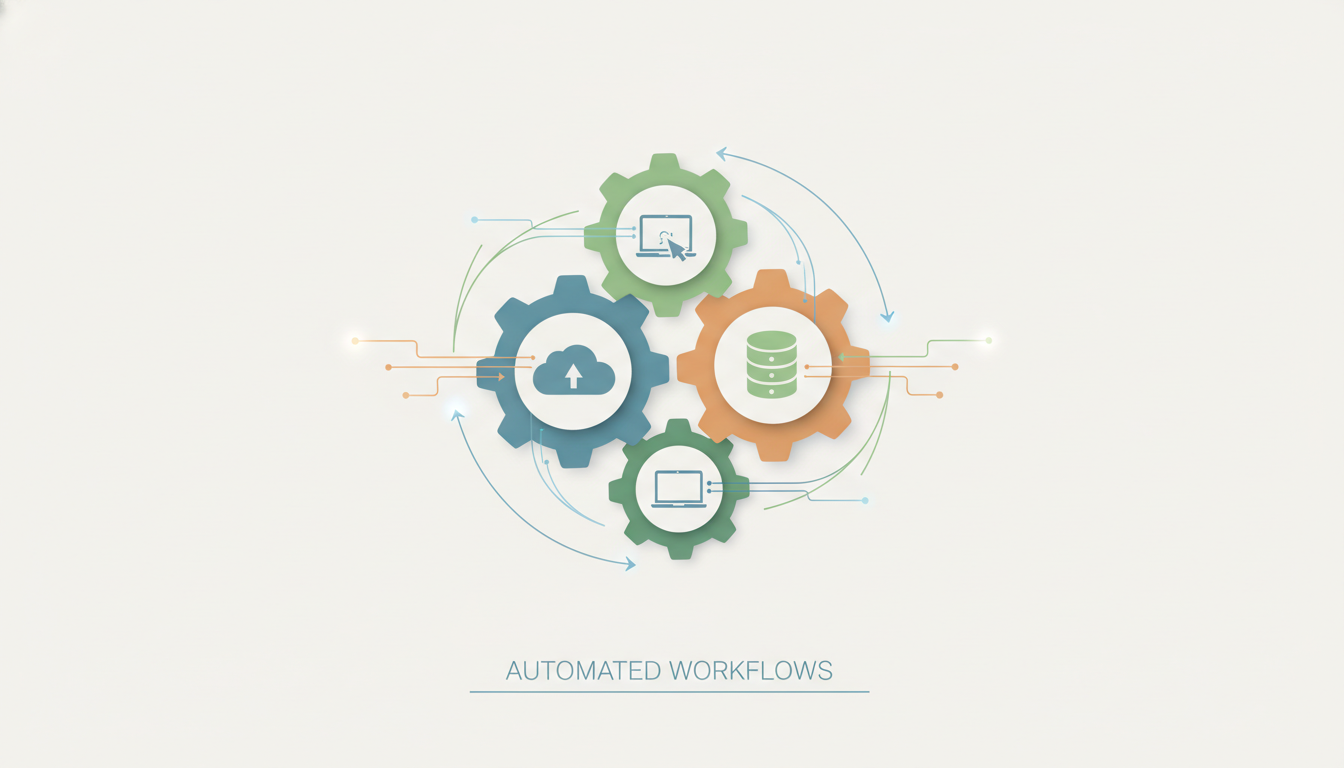
By setting up these “zaps” or “applets,” you can eliminate countless small, manual steps that add up to significant time over a week or month.
Leverage Smart Tools and Platforms
The digital landscape is rich with tools designed to enhance productivity. The key is to choose wisely and integrate them effectively into your workflow, rather than adding more complexity.
Project Management Systems
Whether you’re managing personal projects, a team, or a side hustle, a dedicated project management tool can bring clarity and structure. Platforms like Trello, Asana, Monday.com, or ClickUp allow you to:
- Break down large projects into manageable tasks.
- Assign responsibilities and set deadlines.
- Track progress visually.
- Centralize communication and resources.
This reduces mental overhead and ensures everyone (including yourself) knows what needs to be done and by when.
Note-Taking and Knowledge Management
Stop scattering your ideas and information across various apps and sticky notes. A robust note-taking system is crucial for capturing ideas, organizing research, and building a personal knowledge base. Tools like Notion, Evernote, Obsidian, or OneNote offer powerful features:
- Cross-device syncing.
- Rich text editing and multimedia support.
- Tagging and search capabilities for easy retrieval.
- Ability to link notes and create interconnected knowledge webs.
Having a single, reliable place for all your thoughts and information saves immense time searching and recalling.
Communication Hubs
Email is often inefficient for quick team communication. Centralizing internal communication in platforms like Slack or Microsoft Teams can drastically reduce email clutter and foster quicker decision-making. These tools offer:
- Dedicated channels for projects or topics.
- Instant messaging and file sharing.
- Integration with other productivity tools.
By segmenting communication, you can ensure that important discussions happen in the right place and are easily searchable.
Master Your Digital Environment
A cluttered physical workspace can hinder productivity, and the same is true for your digital environment. An organized digital space reduces cognitive load and makes finding what you need effortless.
Digital Decluttering Strategies
Regularly cleaning up your digital files, desktop, and downloads folder can have a profound impact.
- File Organization: Implement a consistent folder structure for your documents, images, and projects. Use clear, descriptive naming conventions. Consider cloud storage (Google Drive, Dropbox, OneDrive) for accessibility and backup.
- Desktop Cleanup: Aim for a minimalist desktop. Use it as a temporary holding area, not a permanent storage solution.
- Download Folder Management: Process your downloads regularly. Either file them correctly or delete them.
Browser Optimization
Your web browser is likely where you spend a significant portion of your online time. Optimizing it can lead to substantial efficiency gains.
- Tab Management: Avoid tab overload. Use tab groups, extensions like OneTab, or simply commit to closing tabs you’re not actively using.
- Bookmarks and Favorites: Organize your bookmarks into folders. For frequently visited sites, use the bookmark bar.
- Ad Blockers: While some sites rely on ads, ad blockers can significantly reduce visual clutter and speed up page loading, allowing you to focus on content.
- Password Manager: Use a secure password manager (e.g., LastPass, 1Password, Bitwarden) to generate strong, unique passwords and log in instantly without typing or remembering dozens of credentials.
Optimize Your Learning and Information Consumption
The internet is an infinite library, but consuming information efficiently is a skill. Learning to filter, absorb, and retain knowledge without getting bogged down is key to doing more with less effort.
Speed Reading Techniques
While not about skimming, speed reading involves training your eyes and brain to process text more efficiently. Techniques like reducing subvocalization (reading words aloud in your head), expanding your visual span, and minimizing regressions (re-reading) can significantly increase your reading speed.
There are apps and browser extensions designed to help you practice these techniques, allowing you to get through articles, reports, and books much faster.
Curating Information Streams
Instead of passively consuming whatever pops up in your feed, actively curate your information sources. Use tools like RSS readers (e.g., Feedly) to subscribe to specific blogs and news sites, creating a personalized newsfeed free from algorithmic manipulation and irrelevant content.
Similarly, be intentional about who you follow on social media. Unfollow accounts that don’t add value or contribute to your goals. Consider using read-it-later apps (e.g., Pocket, Instapaper) to save articles for focused reading sessions, rather than getting sidetracked in the moment.

Batching and Time Blocking for Focus
Context switching – the act of jumping between different types of tasks – is a silent killer of productivity. Each switch incurs a mental cost, reducing efficiency. Batching similar tasks and time blocking dedicated focus periods are powerful antidotes.
The Power of Batching
Batching involves grouping similar tasks and completing them all at once. Instead of checking email every 15 minutes, dedicate specific times (e.g., 9 AM, 1 PM, 4 PM) to process your inbox. Similarly, batch:
- Responding to messages on different platforms.
- Creating social media content.
- Making phone calls.
- Processing administrative paperwork.
This minimizes the mental ramp-up and ramp-down time associated with switching tasks, allowing you to get into a flow state more easily.
Implementing Time Blocks
Time blocking is a scheduling technique where you allocate specific blocks of time in your calendar for specific tasks or types of work. During these blocks, you commit to working only on the designated task, free from distractions.
Here’s a simple checklist for effective time blocking:
- Identify Your Most Important Tasks (MITs): At the start of each day or week, determine 1-3 critical tasks that will move you closer to your goals.
- Allocate Dedicated Blocks: Schedule uninterrupted time in your calendar for these MITs. Treat these blocks like non-negotiable appointments.
- Silence Notifications: During your time blocks, turn off all non-essential notifications on your phone and computer. Close irrelevant tabs.
- Take Short Breaks: Incorporate short breaks (e.g., 5-10 minutes every hour) to recharge, but avoid getting pulled into distractions during these breaks.
- Review and Adjust: At the end of the day, review how well you stuck to your time blocks and adjust your strategy for the next day.
Delegate and Outsource Strategically
You don’t have to do everything yourself. Learning to delegate or outsource tasks that aren’t in your zone of genius or that consume too much of your valuable time is a hallmark of true efficiency.
Identifying Delegable Tasks
Start by making a list of all your recurring online tasks. Then, categorize them:
- Must Do Myself: Tasks requiring your unique skills, expertise, or personal touch.
- Can Be Delegated/Outsourced: Tasks that are repetitive, administrative, or require skills that others possess (e.g., data entry, basic graphic design, content scheduling, research, website maintenance).
- Can Be Eliminated: Tasks that don’t add significant value and can be stopped altogether.
Focus on offloading tasks from the “Can Be Delegated/Outsourced” category.
Finding Reliable Support
The internet offers numerous platforms to find reliable help:
- Virtual Assistants (VAs): For ongoing administrative or specialized support, VAs can be invaluable. Platforms like Upwork, Fiverr, or specialized VA agencies can connect you with professionals.
- Freelancers: For project-specific needs (e.g., website development, content writing, video editing), freelance marketplaces offer a wide pool of talent.
- Team Members: If you’re part of a team, clearly communicate what you need help with and empower others to take ownership.
Delegation requires clear communication, trust, and a willingness to let go of control. However, the time and mental space you gain in return are often well worth the initial investment.

Continuous Improvement and Review
The journey to doing more with less effort online is not a one-time fix; it’s an ongoing process of optimization. The digital landscape evolves, and so should your strategies.
Regularly review your workflows, tools, and habits. What’s working well? What’s still a bottleneck? Are there new tools or techniques that could further enhance your efficiency? Schedule a weekly or monthly “productivity audit” to reflect on your progress and identify areas for improvement.
Don’t be afraid to experiment. Try a new app, adjust your schedule, or change how you manage your inbox. The goal is to find what works best for you and your unique needs.
Conclusion
The internet is a powerful tool, and when wielded intentionally, it can amplify your capabilities beyond measure. By adopting a productive mindset, automating the mundane, leveraging smart tools, organizing your digital space, optimizing your information consumption, batching tasks, and strategically delegating, you can transform your online experience.
Remember, the aim isn’t to be busy, but to be effective. By implementing these strategies, you’ll not only achieve more with less effort but also reclaim valuable time and mental energy, allowing you to focus on what truly matters in your life, both online and off.